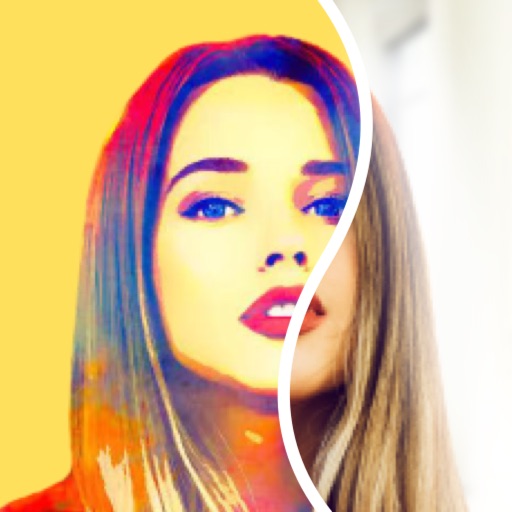
The app transforms photos into vibrant works of art by applying textures like oil paint, pencil, or watercolor. Users can share their creations via social media and email.
by Apptly LLC★ 3.119 ratingsPhoto & VideoFreeData updated 2026-10-13
Convert photos into oil paintings, pencil sketches, and polygon art using deep art technology. Apply cartoon , sketch , and various artistic styles. Export and share transformed images directly.
Edit photos with filters, tools, and beauty effects. Adjust skin tone, add lashes, and apply contouring. Share edited images directly to social media platforms. Sync with beauty trends and access weekly new styles.
Edit photos to create funny cartoons, caricatures, and sketches with 9 styles. Apply filters and adjust details for high-resolution output. Convert videos into clips using live preview or one-tap conversion. Share edited content directly.
Transform photos into paintings using 120 unique painter styles. Apply oil , cartoon, pencil sketch, and pop art filters. Edit and share the final artwork directly.
The app offers over 20 drawing tools that mimic real-life implements, including wet and dry watercolor brushes. It features a tracing projector, precision tools like rulers and shapes, and full layer support for creating detailed artwork.
Convert photos into AI-generated art with customizable styles. Edit images with AI filters and effects. nimated videos from photos in various aesthetic styles. Adjust details and export final creations.
Personalize phone with , , alarm sounds, notification tones, watch faces, and live photos. Create custom designs using AI tools. Search for existing content or upload own files. Set different for contacts.
Edit photos and videos into high-quality drawings, sketches, and illustrations. Apply pencil, charcoal, or technical filters. Enhance videos with advanced filters. Export edited content in various formats.
Create pencil sketches, oil paintings, and other artistic effects from photos. Choose from 13 styles including watercolor and comic black and white. Adjust colors and resize images. Export edited photos.
Create digital art with drawing and painting tools. Use a wide range of brushes and customize settings for precise control. Add motion with animation tools and motion paths. Utilize symmetry guides for balanced designs.
The app transforms photos into luminous watercolors in seconds. It offers expressive styles for portraits and landscapes, with print-quality export for frameable art.
Transform photos into , oil, digital, or contemporary art styles. Apply artistic effects with one tap. Adjust brush size, color, and texture. Save and share edited images directly.
Convert photos into various artistic styles including 15th, 18th, and 20th century paintings. Transform selfies into 3D characters. Generate royalty-style drawings or baby versions. Apply AI-generated art filters and save or share the edited images.
Create self-portraits with various art styles such as watercolor, oil painting, and wire craft. Apply live effects or modify existing photos. Choose from multiple canvases and unique effects like droplet.
Edit photos with AI auto-beautification, facial retouching, and skin smoothing. Adjust features, enhance lighting, and apply filters. Save and share edited images directly.
Create drawings by combining different art styles. Divide images into sections and apply unique styles to each part. Mix and match colors and patterns to design custom artwork. Save and share completed creations.
Allows users to import photos and access over 20 ultra-realistic brushes. Create detailed and paintings with adjustable brush pressure and flow. Export artwork in multiple formats and share directly.