Read books with interactive elements, including tap-and-drag features for playful surprises. Practice spelling, phonics, and reading comprehension through learning activities.
Track calculations step by step to identify errors. Perform basic and advanced math operations. Use scientific functions and memory storage. Save and recall previous equations. Adjust display settings for different modes.
Find a case and pack it for the trip. Jump in a taxi to the airport. Choose a destination and buy tickets for all travelers. Weigh luggage to ensure it meets weight limits. Purchase additional bags and stock up on medications.
Explore facts about cats, dogs, hamsters, and rabbits. Identify animals on the screen. Take photos of them. Solve interactive puzzles. Learn about different breeds and pet care. Available in multiple languages with spoken instructions.
Perform calculations for woodworking tasks like board feet. Create custom actions for repetitive math operations. Use widgets to quickly access common tools. Track time spent in the shop and manage projects with organized data.
Perform calculations using a scientific calculator with customizable layouts. Take notes automatically with the notepad feature. Enable multitasking with slide over and split view on iPad. Drag and drop elements for easy rearrangement.
Organize friend draws with a digital group setup. Participants receive links to join their assigned group. View friend lists, add gift items, and start anonymous chats without revealing identities.
Perform complex calculations with customizable formulas and equation solving. Save and reuse calculations. Convert units and manage multiple profiles. Export results and access advanced functions like matrix operations and statistical analysis.
Helps estimate materials for various shapes. Users input dimensions to calculate volume and quantity. Features include slab, column, and post calculations. Saves results for future reference.
A a log of all calculations. Displays input equations and results clearly. Includes backspace function. Allows adjustable keyboard size and number font size. Supports customization of decimal places, font size for , and display format.
Count up or down in increments of 1, 10, or 100 with a single tap. Perform complex calculations using the built-in calculator. Track counts and view history for accuracy and reference.
Perform calculations with a customizable interface and live results. Define and share advanced functions. Use 3D Touch shortcuts and an expandable widget. Search history via Spotlight.
Perform basic calculations with a standard interface. Optimized for iPad and iOS 9 with high-resolution display support. Includes a charming piano sound for input. No popups or ads.
The app offers an interactive experience with 100 animals, featuring learning activities for names and sounds. It includes a jigsaw game and supports English, Chinese, and Japanese languages with pronunciation.
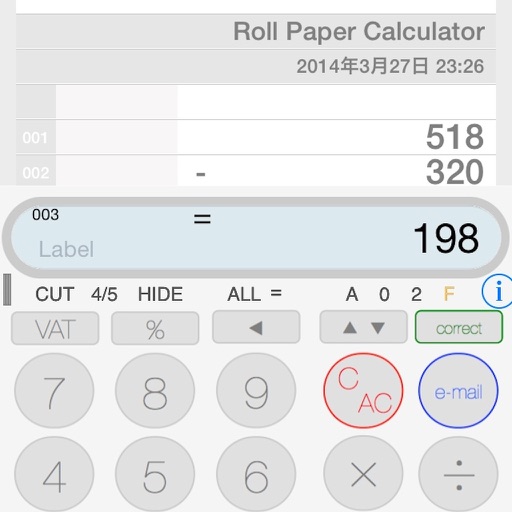
The app provides a calculator experience that replaces traditional functions with a new paper tape. Users can scroll the tape, touch earlier entries, and email calculation results.