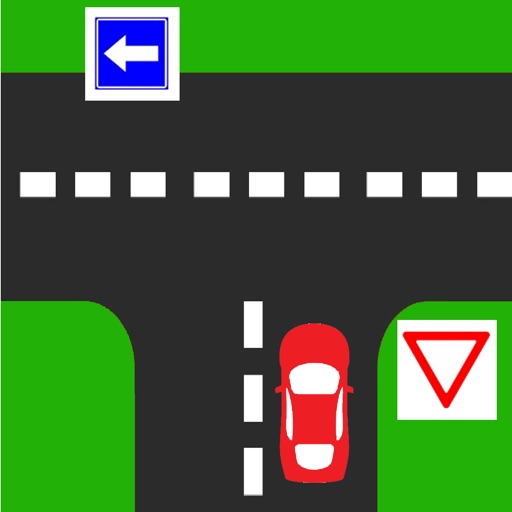
The app allows instructors to explain and demonstrate learning goals to students. The teacher can select backgrounds and place movable signs and cars on them.
by rana nir★ 3.02 ratingsEducationFreeData updated 2026-10-12
Learn driving techniques with illustrated guides and detailed explanations. Review topics covered in lessons, analyze diagrams, and reflect on skills. Track progress and prepare for practical tests.
Teach techniques through video lessons and interactive exercises. Track progress with quizzes and simulations. Schedule lessons and receive feedback from certified instructors.
American with video lessons created by Deaf instructors. Practice vocabulary and grammar through 600+ bite-sized lessons. Match signs to images and receive instant feedback. Track progress and set daily practice goals.
Track classroom attendance with real-time status updates and history. Students scan QR codes or auto-check in via classroom setup. Instructors conduct roll calls using Apple devices. View profiles, upload avatars, and receive announcements.
Learn to drive through interactive missions and realistic simulations. Choose from multiple car models and customize settings. Practice in various weather conditions and challenging environments. Improve parking skills with targeted exercises.
Track sessions automatically with real-time logging of route, duration, and weather conditions. Manually input details when needed. Set goals for practice hours and monitor progress. Sync data across devices and export logs for review.
Play Sudoku with puzzles of varying difficulty: easy, medium, hard, and expert. Solve grids with hints and track progress through game center achievements and leaderboards. Share scores and compete globally. Export puzzles and customize backgrounds.
Practice rhythms by setting custom tempos and combining instruments like clave, piano, congas, and timbal. Create and mix loops for personalized practice. Use as a metronome to refine groove.
Track classes, assignments, and exams with a calendar that syncs across devices. Set reminders for deadlines and events. View schedules by grade, class, or teacher. Share schedules with students or parents.