The app allows users to hear how different microphones affect instrument and vocal sound. Users can compare microphones from the evolution 600/800, evolution 900, and MK4 series.
by Sennheiser electronic SE & Co. KG★ 3.54 ratingsMusicFreeData updated 2026-10-12
Remove vocals from audio files to create backing tracks or karaoke. Extract individual instrument tracks from music. Edit audio with built-in tools. Save and share modified files directly.
The app provides twenty-four scenes with continuous sounds that change pitch or intensity based on finger movement. It features colorful abstract animations and customizable color palettes, including high contrast options.
The app provides a music production environment with a piano keyboard and studio-quality instruments. It includes a multi-track sequencer for editing notes and applying effects.
Create drum sounds and synthesize vocals using a 24-part sound engine. Use a pattern sequencer to arrange beats. Apply effects including a Phrase Vocoder that converts text to vocal-like sounds. Adjust vocal characteristics such as gender.
Create and control immersive and for live performances and studio sessions. Adjust parameters to shape tone and texture. Trigger transitions and effects in real time. Sync with audio interfaces for seamless integration.
Learn music by ear with stem splitting, sheet music generation, and playback controls. Adjust individual stems for bass, vocals, drums, and other instruments. Generate sheet music for audio or video.
Play from a list of channels with non-stop genre options. Access SHOUTcast stations. Display lyrics while listening. Supports iOS11. Choose based on mood for random playback.
The app provides over 40 multi-sampled instruments and hundreds of scales for playing in any style. Users can sound like a professional musician, even with no prior experience, by selecting an instrument and jamming.
The app provides digital audio workstation capabilities for creating music. It supports up to 32 audio tracks for recording and mixing, with options for importing and exporting various audio file types.
Test speakers by playing calibrated sound tones. Measure sound levels in decibels and frequency. Check microphone functionality by analyzing input levels. Subscribe for weekly or monthly access to advanced testing features.
Learn fingering positions with visual charts and audio demonstrations. Choose between Bb and C trumpets. Listen to each note's sound. Access lessons for beginner guidance. View interactive demonstrations by a live player.
Learn to play the with 3D charts showing finger positions. Hear each musical note and view 3D models for demonstration. Access lessons and select from sopranino, soprano, alto, tenor, or bass . Choose between Baroque and German systems.
Record sounds via microphone and play them on dual piano keyboards with a rhythm machine. Create complex musical arrangements using voice, instrument, and environmental samples. Export and share audio files. Supports Audiobus and MIDI connectivity.
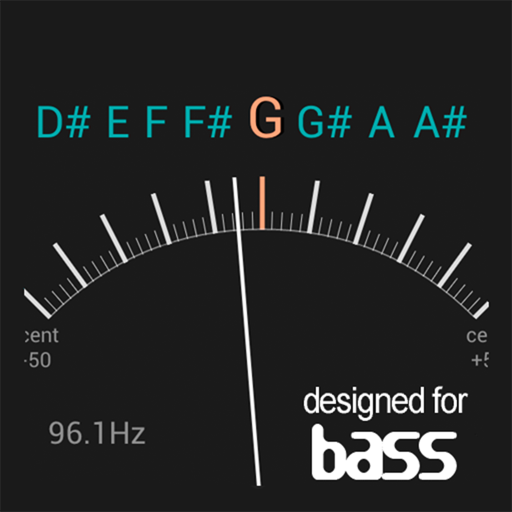
Tune instruments using a built-in microphone and chromatic scale. Display pitch with a clean interface. Adjust tuning settings manually. Disable ambient noise reduction for improved sensitivity.