This app offers a tuning solution for the guqin, addressing common challenges for beginners. It adheres to traditional guqin tuning methods, providing precise tuning for complex harmonic systems.
by Xi Yang★ 4.33 ratingsMusic$4.99Data updated 2026-10-12
To play with for tuning, metronome use, and chord exploration. Discover scales and practice ear training. Track progress and access interactive lessons for instrument mastery.
The app offers a chromatic tuner with audio input and microphone support. It includes a tone generator with authentic instrument sounds and automatic repeating for tuning sounds.
Tune instruments using a built-in microphone and chromatic scale. Display pitch with a clean interface. Adjust tuning settings manually. Disable ambient noise reduction for improved sensitivity.
Tune guitar by listening to audio input and following visual guidance. Adjust settings to ensure accurate tuning. Use volume and tracking indicators to monitor performance and correct pitch.
The app provides a chromatic tuner with audio input and microphone support. It also features a tone generator with authentic ukulele sounds and automatic repeating for tuning sounds.
Adjust audio settings for car amplifiers including volume, EQ, delay, crossover, and phase inversion. Customize sound profiles for each amplifier. Connect to compatible car amplifiers for precise tuning.
Tune instruments by listening and watching visual feedback. Adjust volume to see green bars indicating correct pitch. Guide tuning process with visual cues. Operate hands-free during practice sessions.
Tune guitars, basses, ukuleles, banjos, violins, violas, cellos, or mandolins using the device's microphone. Adjust pitch with visual indicators. No account required. Save tuning presets. Share tuning results.
Precision tuning with 0.135 Hz accuracy for reliable pitch correction. Analyze and generate for multiple string instruments. Use advanced DSP for instrument-specific frequency filtering and tuning adjustments.
Tune mandolins using built-in tuners and reference sounds. Adjust pitch manually or use auto-tune features. Access professional-quality tuning tones and synthetic sounds. Function without internet connection.
Create and manipulate microtonal scales with the TERZA engine for seconda/terza harmonization. Adjust tuning systems and route audio signals. Perform live with MIDI control and intelligent harmonization features.
Tune PI/PID controllers using experimental data. Analyze process loop data to determine optimal controller settings. Adjust proportional, integral, and derivative parameters. Export tuning results for use in industrial systems.
Play and customize pan sounds with realistic instrument simulation. Adjust tuning, transpose notes, apply reverb and chorus effects. Practice scales, record performances, and explore dynamic key sensitivity for expressive playing.
MB allows precise sound tuning for DSP devices. Adjust frequency settings and gain levels. Save and load presets. Monitor real-time audio output. Connect BTA-HD dongle for device synchronization.
Control audio settings such as volume, equalizer, and delay. Adjust output configurations and load presets. Manage music playback and configure input/output channels for precise audio tuning and signal control.
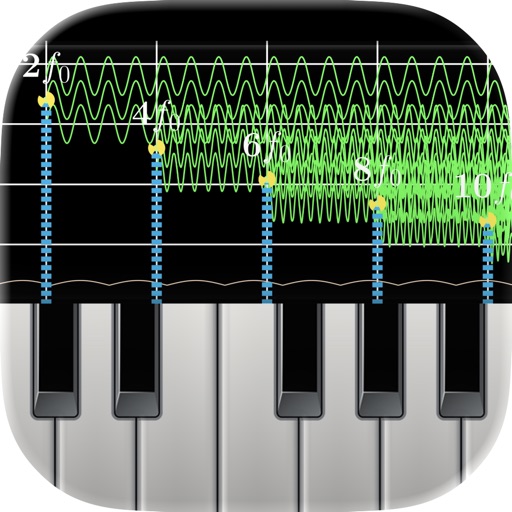
Monitor audio in real time with low-latency processing. View waveform oscilloscopes and frequency spectra. Analyze piano inharmonicity and tuning accuracy. Capture and inspect raw waveforms for music and acoustics.
Debug millimeter-wave radar signals with real-time waveform analysis and frequency tuning. Adjust transmit power and monitor signal strength. Export data logs and compare sensor readings against calibration standards.
Detects instrument pitch and displays a visual guide for tuning. Users sing or play to adjust pitch, with real-time feedback on accuracy. The volume indicator helps ensure proper input levels.