Crop images into various shapes using over 70 masking tools. Adjust background colors. Export directly to Instagram or other apps. Share edited photos across supported platforms.
by Yusuke Horie★ 4.8157 ratingsPhoto & VideoFreeData updated 2026-09-08
Edit photos by adding layers, backgrounds, patterns, colors, shapes, stickers, and text. Cut out people and modify backgrounds with one touch. Erase layer contents using an eraser brush. Create collages and artistic compositions.
Create promotional flyers, advertisements, and cover photos with customizable templates. Add text, images, and graphics. Choose from various design elements and layouts. Export designs in multiple formats and share directly.
Convert photos to 2x2 inch size for US , , DS160, and DV Lottery applications. Adjust brightness, contrast, and background. Crop and resize images. Export in standard format for submission.
The app transforms photos into hand-carved or rubber stamps with options for rough effects and transparent backgrounds. It includes AI background removal and a feature to convert images to vector graphics.
Edit photos with 400+ artistic filters and effects. Apply oil painting, graffiti, sketch, and pop art styles. Adjust colors and textures. Save and share edited images directly.
Edit photos with unblur, object removal, and background cleanup tools. Apply AI filters, artistic styles, and motion effects. Create photo animations with one tap. Export and share edited images directly.
Create video panoramas from photos. Split images into tiles in various aspect ratios. Post sliced photos as multi-post carousels on Instagram. Adjust tile count up to 5 or 9 for layouts. Support all popular Instagram formats.
Crop photos using a cropping tool. backgrounds and unwanted objects with an eraser tool. Select areas to erase and create transparent backgrounds. Edit images for white or clean backgrounds. Export edited photos and create stickers.
Create original images using light effects. Apply light leak filters to add unique textures. Adjust brightness and contrast for enhanced visuals. Share edited photos directly to social media.
Create collages using free layouts and grids. Add stickers, text, and backgrounds. Edit photos with cropping, flipping, and layering. Save and share finished collages or stories. Generate wallpapers from edited images.
Allows users to apply effects to backgrounds. Select images from the gallery or capture new photos. Use multiple blurring tools to adjust the effect. Export edited images directly.
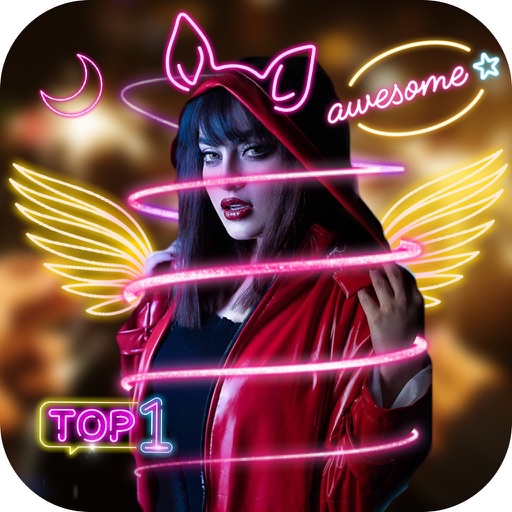
Edit photos with glowing effects and stickers. Add geometric shapes, spiral designs, and lightening effects. Adjust brightness and contrast. Share edited photos directly from the .
The app functions as a personal photo booth for users to capture photos and selfies at events. Users can share images via Facebook, Instagram, email, or text after a countdown.
Edit photos with AI-powered skin smoothing, makeup application, and filters. Adjust brightness, contrast, and saturation. Apply virtual makeup and try different styles. Export edited images in various formats and share directly.