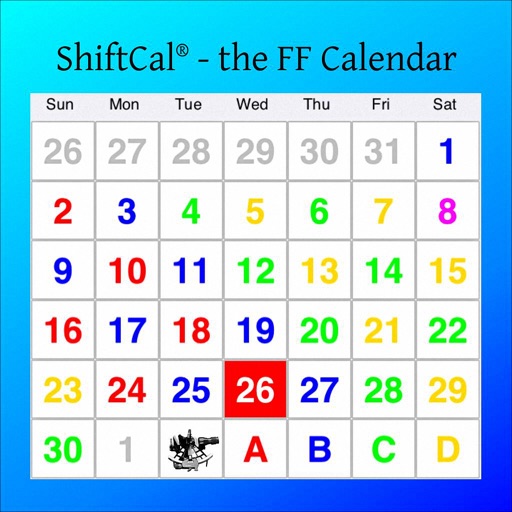
Create and manage shift work schedules by registering unlimited shift templates and repeat cycles. Display iOS calendar events alongside shift calendars. Add notes, summarize shifts per month, and choose custom styles and colors.
by Akira Takahashi★ 4.856 ratingsProductivityFreeData updated 2026-09-08
Login to manage worker access. Schedule and adjust shift times. Create and track tickets and reports. Monitor worker activity during shifts. Sign and review documents. Organize and manage projects.
Track hours with a timesheet that logs clock-in and clock-out times. Monitor detailed shift logs and overtime. Schedule shifts using smart planning tools. Include GPS location tracking for accurate time recording.
Manage work schedule by accepting job requests and clocking in and out of shifts. Track earnings and set availability preferences. Receive updates on job changes and company announcements. Monitor time spent on shifts and breaks.
The app allows users to create custom shift types with icons and colors for clear visibility. Shifts can be entered quickly, and multiple calendars can be managed for friends and family.
Managers set custom rules and assign work shifts to employees. Employees create optimal schedules meeting everyone's needs. Track shifts, replace workers, and access advanced metrics through dashboards.
Create and manage calendars with customizable themes and layouts. Add events, set reminders, and sync across devices. Share calendars with friends and collaborate in real-time. Track tasks and deadlines with intuitive scheduling tools.
Select shifts that fit your schedule and track hours within the . Manage shift preferences, view work history, and receive notifications about available shifts.
Create and manage schedules with color-coded entries, icons, and short names. Set up rotations with simple taps. Track upcoming shifts and view weekly or monthly calendars. Receive notifications for changes and set reminders.
Create and manage shift schedules by selecting shift types and tapping days. Define work times, colors, and names for customization. Edit templates, add or remove entries with single taps, and switch between shift entries with double taps.
View schedules for yourself and your organization. Bid on open shifts and manage shift swaps and covers. Clock in and out, track timecards and PTO balances, and request time off. Send and receive messages within the .
Create and manage schedules with customizable ranges. Add and edit shifts quickly. Share schedules via email or other apps with one click. Set and send roster plans efficiently.
Create and customize handwritten calendars with images and text. Add stamps for colorful designs. Share calendars with full access or view-only options. No registration or personal information required.
Manage schedules with a shared , color-coded events, and shift for complex work schedules. Track groceries, to-dos, chores, and reminders across devices. View and work schedules, kid activities, and upcoming events in one place.
Track work hours and manage schedules. Update personal and job details, including education and certifications. View total pay and benefits. Access company history and job opportunities.
Track work schedules and personal tasks with shift tracking, friend rotations, and back-to-back schedules. Check work status for any time period. Set reminders for tasks and events. Sync gym training plans with work schedules.