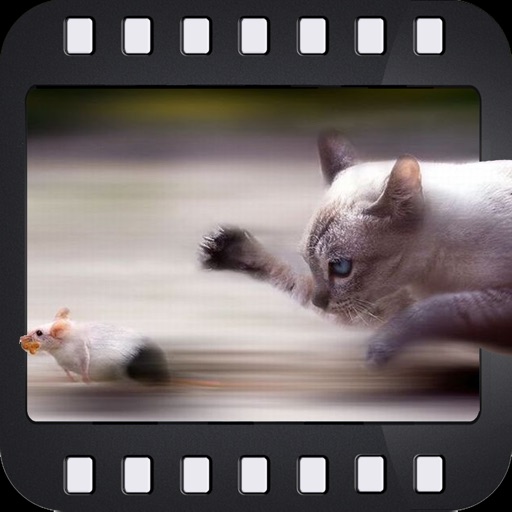
The app adds motion to photos by allowing users to define a focus zone. Users can select adjustable motion effects and choose between Select or Draw modes to create their motion photos.
by Sebastien BUET★ 0.00 ratingsPhoto & Video$1.99Data updated 2026-10-11
Edit photos by selecting focus areas with smart selection tools. Apply to background while keeping subject in focus. Choose from nine including motion and zoom. Pan and zoom quickly for precise adjustments.
Apply effects to photos or videos. Choose from options like soft focus, pixelate, motion , and prism. Adjust intensity and apply effects with touch controls. Export modified content directly.
Create graphics and animations with multiple layers of video, graphics, and audio. Edit vector and bitmap elements directly on your device. Use 160+ effect building blocks to design complex visual effects.
The app offers video editing tools including trimming, merging clips, and adding text or animated titles. Users can adjust video display, speed, and apply various filters and transitions.
Create animations using LEGO, clay, drawings, or everyday objects. Record frame-by-frame videos, adjust timing, and add sound effects. Export films in various formats and share directly.
Edit videos by selecting from a library and applying various effects. Add stickers like glitch, text, emojis, and love symbols. Draw shapes and signs in multiple colors. Apply slow and fast motion effects. Add frames or borders to videos.
Create photos by capturing trails from moving objects like cars or fire. Freeze motion in clouds or water. Draw with sources in the air. Adjust without time limits.
Trim, cut, and crop clips. Adjust brightness, contrast, and color. Add slow motion effects. Overlay multiple clips. Export videos in various formats. Share directly from the .
Create animations using LEGO, clay, drawings, or everyday objects. Record frame-by-frame footage. Adjust timing, add sound effects, and export videos. Share directly to social media or email.
Edit photos with filters, cropping, and AI enhancements. Adjust colors and brightness. Add text, stickers, and overlays. Create collages and cards. Edit videos with trimming, transitions, and effects. logos, flyers, and social media content.
Apply to photos with one tap. Choose from Gaussian or zoom styles. Adjust intensity and area of focus. Export edited images in various formats and share directly.
Automatically detects subjects and backgrounds to create bokeh effects. It applies Gaussian, motion, or zoom blur. Built-in filters enhance photos. No manual object selection is required.
Capture low-light and night photos and videos with enhanced clarity and brightness. Record 4K time lapses and use Astronomy modes to capture stars and Northern Lights. Enable long exposure for detailed night scenes.
Create digital art with drawing and painting tools. Use a wide range of brushes and customize settings for precise control. Add motion with animation tools and motion paths. Utilize symmetry guides for balanced designs.
Enhance videos and photos to HD/Ultra HD/4K with before/after comparisons. Apply creative transitions. Retouch selfies to improve appearance. Stabilize shaky footage for smoother results.
Select and edit photos from the album or camera. Use the lasso tool to draw a closed path for blurring. Adjust difficult areas with the Touch feature. Apply over 30 effects and fine-tune the selection.
Edit photos with enhancement tools, effects, and color splash. Add stickers, frames, and overlays. Create collages and custom drawings. Crop, rotate, flip, and straighten images. Adjust brightness, contrast, and saturation.
Create interactive visualizations using particle effects, waveforms, gravity simulations, and lightning patterns. Adjust colors, motion, and intensity. Save or share generated art.
Records video automatically when is detected. Allows sending videos to Dropbox or iCloud Drive. Choose resolution options including 4K and frame rates up to 240fps. Define detection zones for specific areas.