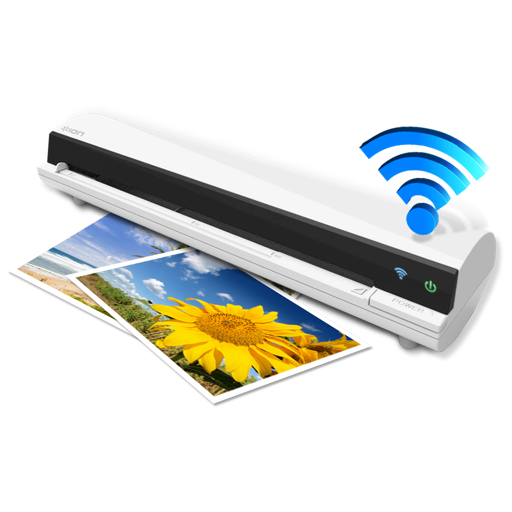
The app works with the ION Air Copy hardware, a portable Wi-Fi scanner. It scans photos, receipts, business cards, notes, and documents up to US Legal size directly to a Mac, then shares them via email or social networking.
by Ion Audio, LLC★ 0.00 ratingsProductivityFreeData updated 2026-10-10
Decode QR codes and barcodes by pointing the camera at them. Scan texts, links, contacts, emails, and locations. Create custom QR codes. Manage scan history, save important data, and search through past scans.
Scan and store ID cards, passports, driver’s licenses, bank cards, and other documents. Use OCR to extract text from scanned images. Organize and manage files securely without internet connection. Share documents via email or cloud services.
Perform calculations with live voice input. Use an ergonomic key layout with an extra large "+" key and backspace function. Copy and send results via email. Support dark mode and retina display on all iPads and iPhones. Track usage history.
The app provides a WebDAV server for sharing files and folders from a Mac. It supports file operations, username/password protection, and HTTPS with certificate options.
Capture scans using a camera with automatic cropping and detection. Organize scans with folders, tags, and drag-and-drop sorting. Access text recognition, cloud upload, and customizable themes in the Pro version.
Allows users to store and manage clipboard content, including text and images. Edit clips, create new ones, and organize them into folders or mark as favorites. Access favorites and folders via home screen widgets.
GLOBILE BILISIM BILGISAYAR HIZMETLERI ILETISIM DANISMANLIK SANAYI TICARET LIMITED SIRKETI
Store files, view documents, transfer photos
Store, view, and manage documents on iPhone, iPad, or iPod Touch. Access photo library from PC or Mac via Wi-Fi for batch downloads. Upload photos from PC to device via Wi-Fi. Transfer files between devices without needing iTunes.
Organize and access copied content with a single tap. Save personal documents, loyalty cards, addresses, links, notes, images, colors, and more. Share or copy items quickly. Manage code snippets, graphic assets, and frequently used data efficiently.
The app allows users to wirelessly browse files from the PQI Air Pen via WiFi. Users can view documents, images, audio, and video files, and download them to their local device.
Scan documents to create high-definition PDFs with automatic cropping. Edit text and annotations within PDFs. Convert files to other formats. Share and export edited documents directly.
Create invoices from scanned documents and organize business paperwork in one place. Scan receipts, contracts, and notes. Convert documents to searchable PDFs or JPEGs. Sync files across devices. Send invoices directly to clients.
Transfer text or links between devices instantly. content from a phone or computer, then open the on another device to access the clipboard. Share copied items across multiple devices without manual re-entry.
Convert photos and images to PDFs with automatic formatting. Scan physical documents using the camera for clear PDFs. Edit scanned files with cropping and brightness adjustments. Share or save PDFs directly from the .
Photos, videos, and directly between devices. Receive via AirDrop. Scan and store documents. Organize using folders. View and edit . Access fast and intuitive file management tools.