The app allows users to add images to their videos. Users can modify frame colors and letters, and intuitively edit frames by moving, rotating, and changing scale.
by kazuki oota★ 4.416 ratingsPhoto & VideoFreeData updated 2026-10-10
Create 2D animations and videos frame by frame. Use multi-track timelines and keyframes for motion. Record motion or effects easily. Access 300 textured brushes for drawing. Export animations in various formats.
Add and to with customizable fonts and animations. Position and resize anywhere on the screen. Set duration using a time slider. Crop to square. Choose from preloaded or . Apply start and end animations to elements.
The app offers tools for photo editing, including frames, layouts, and effects. Users can adjust color balance, brightness, contrast, and saturation, and apply sharpening or blurring.
Edit photos with New and Christmas frames. Add text, stickers, and effects. Share edited photos directly to social media or messaging apps. Adjust brightness, contrast, and saturation for enhanced visuals. Export in various image formats.
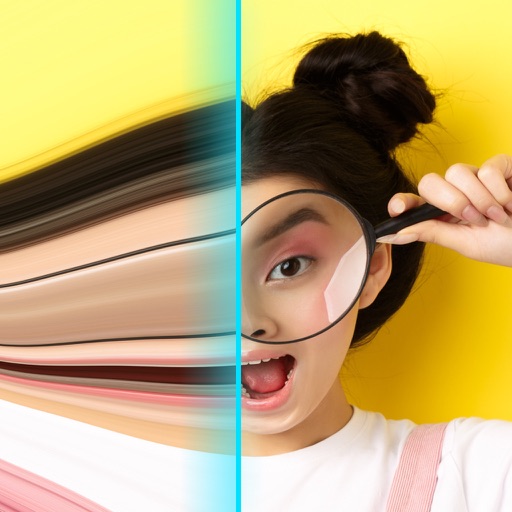
Record videos with - effects by capturing footage and adjusting scan speed, direction, and timer. Freeze or stretch specific parts of the frame to create surreal visuals. Share the edited videos directly from the .
Annotate photos with text, drawings, and hand-drawn elements. Add watermarks and autographs. Create and share Photocards. Incorporate internet memes. Edit and enhance images for personal or professional use.
Edit photos by applying recommended background colors and color combinations. Adjust color schemes with two fingers. Blur backgrounds and select from multiple color options. Access photos from the album and make edits directly.
The app uses cloud technology for mobile surveillance, eliminating complex network setup. Users can connect DVRs or IPCs and register with the server to view devices on iOS.
Convert rectangular photos to (1:1) or portrait (4:5) formats. Select media, choose layout options, and share directly. Add white frames and adjust background colors for clean, framed visuals.
Perform calculations with feet, inches, and fractional inches. Add, subtract, multiply, divide, and compute roots or powers. Scale drawings using the scaling feature. Convert and manage measurements directly within the .
Create hand-drawn animations with a frame editor. Export to GIF, video, or PSD. Use onion-skinning for layering. Repeat frames for consistent motion. Share animations directly from the .
The app allows users to create love collages or design romantic cards. Users can select photo frames, add text with various fonts, colors, and sizes, or include love-themed stickers.
Combine multiple photos into customizable frames or collages with 55 adjustable templates. Add rounded corners, effects, shadows, and patterns. Choose colors using an easy color picker. Save projects and share via Facebook, Email, or Twitter.