The app provides 88 keys for playing music on the iPhone and iPad. It features 91 instruments, including organs, pianos, guitars, and synths, with options for duet mode and key labels.
by Dmytro Denys★ 3.434 ratingsMusicFreeData updated 2026-10-10
Stream from 35 curated channels. Each channel is programmed by a specialist in its genre. Access Smooth , Bebop, Vocals, Swing, Big Band, Sinatra Style, and more. Listen on iPhone or iPad.
Interactive fingering charts for woodwind, brass, fret, and string instruments. Tap valves or keys to play notes. View detailed diagrams for flute, clarinet, guitar, violin, and other instruments. Sync with audio for note recognition.
Create and edit using a virtual piano keyboard. Export and import MusicXML files for compatibility with other software. Compose simple piano pieces or complex symphonies. View and adjust musical scores with a user-friendly interface.
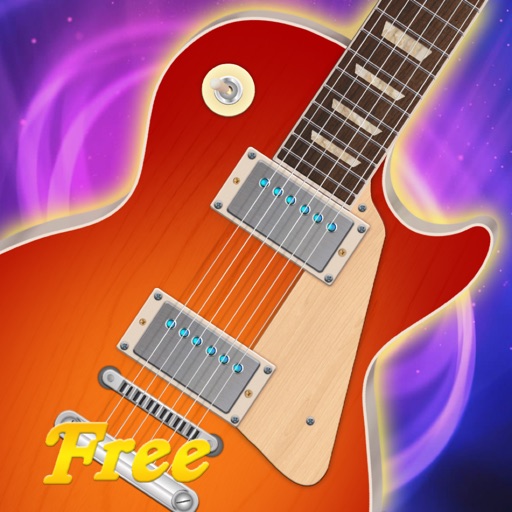
The app allows users to play music on iPad by touching and strumming six strings. It simulates playing lead guitar with a band, covering genres like Rock, Pop, Blues, and Metal.
Create and edit music using sampled Mellotron sounds from the 1960s. Access a library of instrument tapes including strings, choirs, and horns. Adjust pitch, volume, and effects. Export projects in audio formats and share files directly.
Learn and practice , ukulele, bass, and drum and . Access over a million songs offline. Browse history, autoscroll, transpose , and view diagrams with multiple variations. Create and save custom songs. Print and share .
The app listens and finds the user's pitch, showing how far off it is. It tracks notes instantly, displaying the note and its exact frequency in hertz and cents.
Record audio, MIDI, and drum tracks with unlimited layers. Apply real-time effects like Guitar Amps, VocalTune, and Reverb. Mix and edit tracks on the go. Share projects and collaborate with other artists via Songtree.
Create deep, customizable sounds with adjustable waveform and filter settings. Use as a standalone or plugin. Run multiple instances for layered sound design. Adjust sub- frequency and resonance for precise tone control.
Learn to play with real-time feedback and a visual interface. Access a large library of songs for piano, keyboard, guitar, and bass. Use MIDI controllers or instruments to play along. Track progress and set practice goals.
Allows users to create and manipulate multiple independent musical voices. Features include pitch adjustment, temperament control, and multi-touch performance. Users can access additional instruments via in- purchases.
Play with a full 88-key keyboard and haptic feedback. Use multi-touch for chords and dynamics. Access 50+ instrument tones. Learn through interactive practice. Control via widgets without launching the .
The app identifies chords by selecting two or more notes. It offers extensive chord databases and allows users to hear chords played as block chords or arpeggios.
Create and practice guitar or bass rhythms with loops in funk, rock, reggae, and blues styles. Adjust playback speed for tempo matching. Loop continuously for uninterrupted practice.
Record realistic woodwind sounds with finger movements
Generate realistic woodwind instrument sounds for guitar, bass, and strings players. Use finger movements for vibrato and pitch sliding. Support MIDI input from EWI and keyboard controllers. Record and playback performances.
TunerMetro provides a for precise instrument tuning with ±0.001 semitone accuracy. It includes a with adjustable tempo and tap-to-start functionality. The features a spectrum analyzer for visual feedback during practice.