Apps Like iTuningFork - Tone Generator for iPhone and iPad
Tone generator for instruments and electronics.
The app generates selectable waveforms and frequencies for tuning instruments or testing electronics. Users can select musical instruments to automatically generate tone scales or use a 9-octave keyboard to play desired notes.
by Gianluca Natalini★ 1.65 ratingsMusic$1.99Data updated 2026-10-10
Audio tones and adjust EQ settings. Manage presets with import and export options. Set tempo, noise gate thresholds, and cab settings. Customize global parameters and save configurations for later use.
Play using fretless fingerstyle techniques. Adjust tone with finger pressure on the screen. Access layered sound samples for each note. Practice scales and chords with on-screen notation. Record and replay performances.
Import and organize sheet , guitar tabs, and scores in PDF format. Annotate pages, add notes, and manage a personal library. Practice and perform with adjustable playback speed and page turning features. Sync across devices for seamless access.
Adjust audio signals with noise gate and low-pass filtering. Use 6 preamp models and 3-band tone stack. Apply flanger, chorus, and phaser effects. Add echo, delays, and reverb. Mix impulse responses and adjust power amp settings.
Simulate musical instruments including Qanon, Oud, and strings with real sound. Play quarter flat scales and rhythms. Access chords specific to music. Switch between two common music scales. Adjust tuning and settings for different playing styles.
Play and learn musical instruments with virtual tabs, , , and . Access songs from your music library to maintain rhythm. Adjust tuning for accuracy. Create custom beats using an MP3 player. Sync with Apple Health for progress tracking.
The app provides a chromatic tuner with audio input and microphone support. It also features a tone generator with authentic ukulele sounds and automatic repeating for tuning sounds.
2.0 displays pitch and tone with a radial spectrum and pattern. Users adjust instrument tuning using a note dial. It supports multiple temperaments and piano tuning modes. Tracks frequency deviations in real time.Exports tuning data for reference.
Udio tones across 20 Hz to 20 kHz for testing, tuning, or experimentation. Test speaker performance for distortion or imbalance. Clean muffled speakers using the built-in speaker cleaner tool.
Create unique sounds by shaping notes with your mouth near the speaker. Adjust tone pitch and volume. Access a tutorial for guidance on using the effect.
Tune guitar, bass, or other instruments using the device's microphone. Detect and adjust pitch with high precision. Supports multiple instruments including violin, viola, and wind instruments.
Nd play test tones including sine, rectangular, triangular, and sawtooth waves. Create and play frequency sweep tones in ascending and descending directions. Adjust frequency, amplitude, and duration settings.
Play interactive musical notes with animal sounds and instrument tones. Choose animal characters and create melodies. Switch between different modes with unique sounds and characters. Press keys to produce varying tones and rhythms.
Tune instruments with single tap. Adjust frequency between 435–445 Hz. Set up Siri Shortcuts for quick access. Save shortcuts to Home Screen, Dock, and Shortcuts Widget. Supports –440 and –443 .
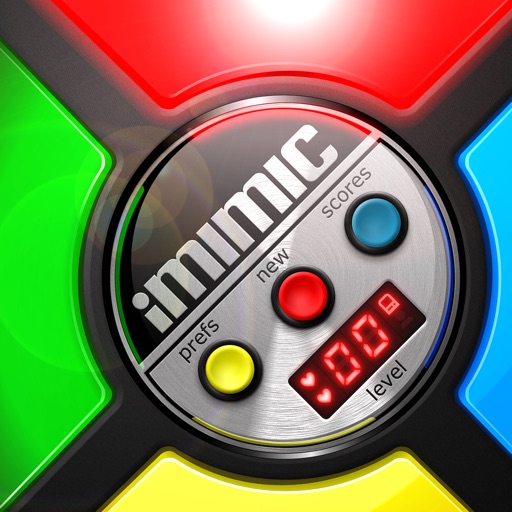
Play a retro-style where you repeat sequences of tones and lights. Tap quickly to match the pattern and score points. Climb leaderboards and collect achievements. Features include fast touch response, retro visuals, and high-resolution graphics.