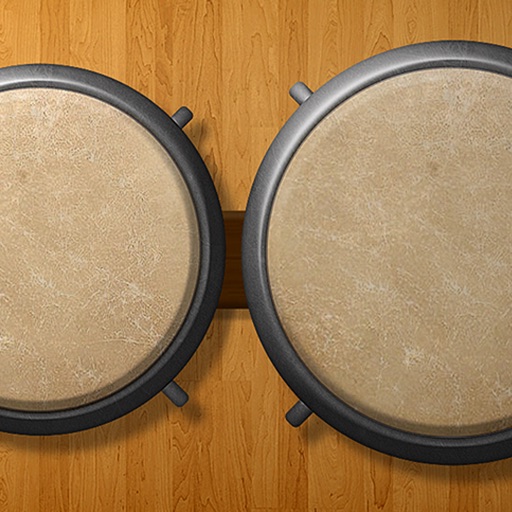
The app features six different doumbeks with professionally recorded high fidelity sounds. Users can adjust reverb, pitch, and delay, and record, playback, and loop multi-track performances.
by Drum Starz★ 4.028 ratingsMusicFreeData updated 2026-10-09
Create using professional-quality audio samples and machines. Access a variety of instruments and effects for sound design. Explore genres like hip-hop, trap, and dubstep.
Learn to play keyboard, drums, and pads with interactive lessons, exercises, and songs. Track progress with scoring and levels. Access 2000+ courses and practice regularly to improve skills.
Turn your iPhone or iPad into a with sounds and rhythm patterns. Adjust jam level and intensity using a 2D slider. Play live sessions with 8 assignable pads and buttons for fills, intros, and endings.
Create beats using a drum pad interface with customizable sound packs. Record up to 32 sequences to build full songs. Edit and arrange patterns with visual feedback. Export tracks in multiple audio formats.
Create and share music with notation tools and templates. Practice rhythms with metronome and playback features. Collaborate with others through community forums and sharing. Sync progress across devices and access a library of user-generated scores.
Tracks from popular music genres like Rock, Pop, Hip-Hop, and Dance. Choose different sets to customize your sound. Access reworked classical pieces as contemporary compositions. Tap to beats and follow along with visual cues.
Play using 18 high-quality, professionally recorded samples. Add cowbell and sticks for additional percussion. Adjust sound settings for optimal playback on iPhone or iPad. Perform with low latency for precise timing.
The app provides a music production environment with a piano keyboard and studio-quality instruments. It includes a multi-track sequencer for editing notes and applying effects.
Play drum kits with a customizable drumpad layout. Choose from multiple drum sounds for different genres. Control song playback and adjust speed in real time. Mix sounds and adjust volume with a simple interface.
Create drum sounds and synthesize vocals using a 24-part sound engine. Use a pattern sequencer to arrange beats. Apply effects including a Phrase Vocoder that converts text to vocal-like sounds. Adjust vocal characteristics such as gender.
Create and customize rhythms with three drummers offering modern, classic, and contemporary styles. Export multi-track or full mix audio via MIDI. Access over 60 bass lines in iBassist. Adjust delay and reverb effects for sound shaping.
Create and play -style music using , electric guitar, and percussion samples. Arrange tracks, connect to speakers for live sound, and simulate a home concert experience. Adjust settings and use built-in instruments to compose and perform music.