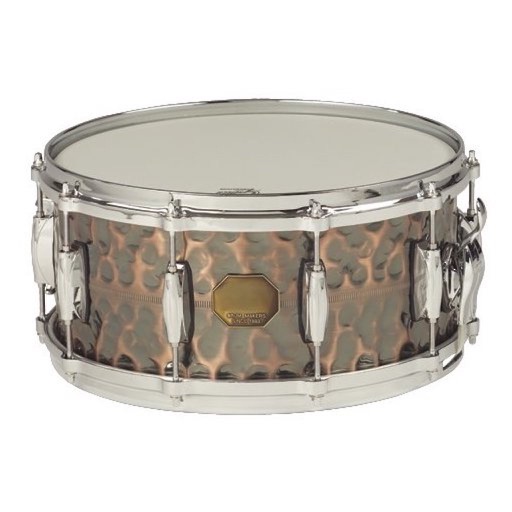
The app features six different doumbeks with professionally recorded high fidelity sounds. Users can adjust reverb, pitch, and delay, and record, playback, and loop multi-track performances.
by Drum Starz★ 4.028 ratingsMusicFreeData updated 2026-10-09
Create beats by tapping colorful pads, each acting as a separate track. Use 48 pads divided into three sections with four time slots. Mix and match audio tracks for custom effects. Save favorite patterns for later use.
Create and practice guitar or bass rhythms with loops in funk, rock, reggae, and blues styles. Adjust playback speed for tempo matching. Loop continuously for uninterrupted practice.
Create and manipulate drum sounds using a graphic editor. Use 76 samples and synthesis drum kits. Mix and match sounds across drum kits and tracks. Load drum kits from factory or other songs to generate new compositions.
The app helps users tune drums with precision, develop tuning skills, and achieve a selected sound for their kit. It offers features like a lug tuner, drum kit interval tuner, and a click track with a metronome.
Learn drums with an that syncs with any kit and provides instant feedback on playing. Practice with interactive designed by professionals for all skill levels. Access a variety of songs in multiple genres.
Record and compose music with 12 tracks for sound loops. Dub tracks in real time without stopping. Use reverb, filter, volume, pan, and pitch effects. Export recordings in audio format.
Create and play music with chord circles and strum keys. Switch between major and minor keys. Play scales and set auto-accompany with drums, bass, and arpeggiators. Record performances and share them.
Create and record original compositions using recording mode. Play realistic drum and percussion sounds with multitouch controls. Access a full acoustic drum set with 14 realistic instrument sounds including bass drum, snare drum, tom, and floor tom.
Edit tracks with EQ, Pitch, Tempo, Echo, Reverb, Flanger, and 20+ Equalizer presets. Loop song sections, apply time stretching, and practice with audio playback. Record voiceovers directly within the .
Tap the iPhone screen to play drums with a simple drum kit. Choose from 30 instrument sounds including snares, cymbals, tomtoms, and hand-claps. Adjust volume for each instrument. Customize instrument layout in 2x2 or 3x3 grid.
Practice music with customizable metronomes and tempo control. Adjust beats per minute, set rhythms, and track progress. Supports multiple instruments and includes visual cues for timing. Sync with devices for consistent practice sessions.
Create and edit music using a modular synthesizer with a pattern-based sequencer. Import XM and MOD files. Record audio via microphone or line input. Export multitrack WAV files. Support 16/24/32bit audio formats and MIDI input/output.