Calculate with scientific and engineering notation
Perform scientific and engineering calculations with support for notation like 1E-6 and multipliers such as p, n, u, m, k, M. Edit formulas, recalculate, and view calculation history.
by E-SKETT CORPORATION★ 3.01 ratingsProductivityFreeData updated 2026-09-08
Perform complex calculations with 10 financial worksheets and 10 calculators. Switch between landscape and portrait modes. View results in decimal, fraction, or percentage formats. Save and recall previous calculations. Export data as text or PDF.
Calculate based on currency pair, risk percentage or amount, and stop loss in pips. Supports all major currency pairs and crosses. Save previous calculations for quick reference. Adjust inputs for precise trading strategies.
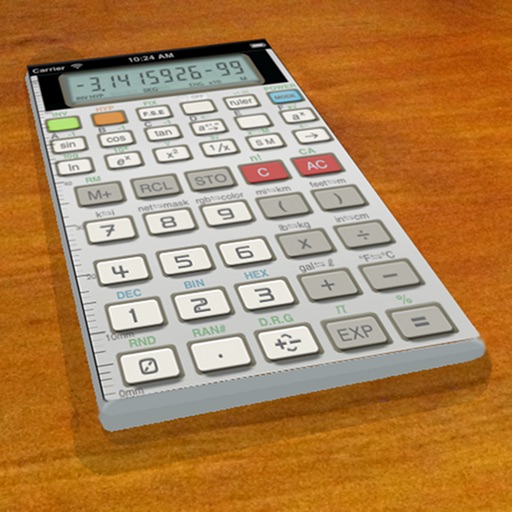
A vintage-style scientific calculator with a retro LCD display and realistic key sounds. Perform basic and advanced calculations, use shift functions, and access additional modern features like parentheses and memory storage.
Calculate molecular weights with a dedicated organic chemistry calculator. Long-press elements for details. Input elements, numbers, and parentheses for real-time results. Access a full-sized periodic table with combined periods 1, 2, and 3.
Calculate and man-hours needed for a room by inputting wall dimensions and subtracting areas for windows and doors. Estimate volume based on wall surface area and coverage rate. Save calculations and view detailed breakdowns.
Provides tools to compute parameters like pressure, flow rate, and viscosity. Users can switch between USCS and SI units. Features include calculating buoyant force, hydraulic radius, and density. Supports civil engineering and dynamics calculations.
Allows users to save formulas for repeated use. Enter variables to recalculate results without rewriting formulas. Supports trigonometric functions, logarithms, factorials, and permutations. View saved formulas and variables for easy access.
Calculate sales tax and discounts with percentage-based equations. View calculation history for reuse. Adjust tax settings via swipe. Customize rounding preferences. Choose from multiple color themes. Perform basic arithmetic operations.
Is a programmable scientific calculator with a dynamic stack display. Users can input numbers and operations using reverse-polish notation. The display expands automatically as more values are added, and users can swipe to view additional lines.
Perform financial calculations with tools for loan analysis, amortization schedules, and refinance savings estimation. Convert units across multiple categories. Automatically generate notes and track expenses for budgeting and planning.
Enter unit price, quantity, and discount to instantly calculate and margin. View detailed breakdowns and save calculation history. Create future quotes and access a simple, multilingual interface for global use.
Customize themes with 65536 color options and adjust history display height. Add notes to history entries and share them via email. Perform basic math operations, use backspace, and view/edit calculation history. Supports Dark Mode.
Perform advanced calculations with formula editing and recalculation. Generate graphs for complex equations. Support for engineering and computations. Includes graphing capabilities for mathematical functions.
A with large buttons for easy use. Offers seven color themes including Flower, Heart, and Hydrangea. Displays intermediate results during calculations. Allows users to reset calculations quickly.
Calculate with four modes: basic for arithmetic and percentages, scientific for algebra and trigonometry, programming for command line expressions in multiple numerical systems, and minimalist for simplicity.
Perform calculations directly from the home screen or control center. Use an interactive to add, subtract, multiply, and divide. Access basic and advanced functions without opening a separate .