Create style text with customizable fonts and layouts. Share generated text to LINE, Facebook, Twitter, and Camera Roll. Adjust text size and spacing for different formats.
by Kazuo Sakamoto★ 1.01 ratingsEntertainmentFreeData updated 2026-09-08
Edit photos by adding text with customizable fonts and calligraphy styles. Insert names as signatures with unique designs. Adjust text size and placement. Share edited images directly.
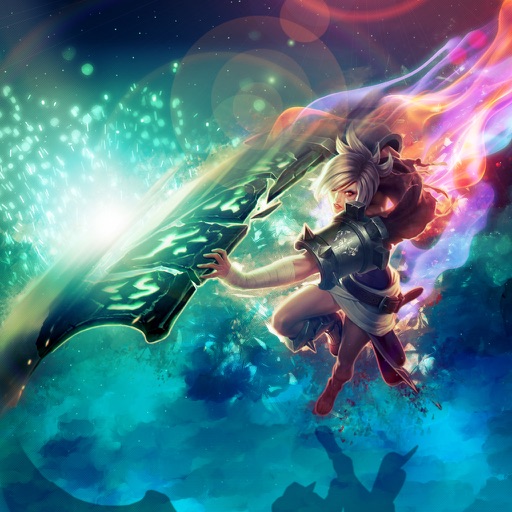
Save and share League of Legends character . Store in photo gallery. Share via Facebook, Twitter, and Google+. are optimized for high definition. Requires internet connection.
The app allows users to create large text messages with customizable colors and fonts. Users can shake the device to make text flash or press and hold to share messages as GIFs via SMS, Facebook, Twitter, or Email.
Create realistic instant photo effects with customizable backgrounds, fonts, and filters. Add text, stickers, and light leak effects. Design greeting cards, posters, and social media content. Enhance photos with adjustable filters and effects.
Create social media graphics using pre-designed templates. Choose from layouts for collages, banners, invitations, business graphics, posters, quotes, and profile photos. Customize designs with text, images, and color adjustments.
Convert text prompts into AI-generated artwork. Create and customize visual scenes with detailed descriptions. Export and share finished designs in various formats. Adjust colors, composition, and style settings for refined results.
The app connects a K-Series camcorder wirelessly to an iPhone via WiFi. Users can record videos, take photos, and download them to their camera roll for sharing.
Create and customize dating profiles by uploading a photo and filling out a 2-step form. Edit details and appearance freely. Share profiles directly or save to camera roll. nd distribute match profiles instantly.
Posters, flyers, and banners for events, business, and social media. Choose from over 25,000 templates. Add text, images, and graphics. Customize colors and fonts. Export and share designs directly.
Edit photos with stickers, filters, and effects. Add text and manga-style elements. Create collages and share directly. Adjust brightness and contrast. Save and export in various formats.
Create collages with customizable blur backgrounds and adjustable layouts. Apply filters like black and white, vintage, and retro to enhance images. Edit photos by resizing, cropping, or deleting elements.
Create art frames by combining images and adjusting positions with zoom, rotate, and move tools. Add 100 stickers and custom text. Choose from four output resolutions. Share images via Facebook, Twitter, Instagram, or email.
Generate AI-enhanced images from text prompts. Transform existing photos with AI filters and effects. Edit and enhance images with advanced tools. Share creations directly to social media platforms.
Create invitations with customizable templates and background music. Add text, images, and animations. Export videos in various formats and share via social media or email.
Create videos using AI-powered templates and custom ideas. Upload photos or text to generate romantic, epic, or viral-style videos. Edit length, add music, and export in various formats. Share directly to social media platforms.
Create by inputting inspiration and selecting a style. AI generates melodies and compositions. Edit and customize tracks. Export in various formats and share directly.
Create and edit images with basic drawing tools. Draw freehand or use shapes and lines. Add text and colors. Save and share drawings directly. Import and modify existing images.
Add , captions, and artwork to . Select from curated background options. Choose images from device storage or camera. Adjust size, position, and style. Save and share edited directly.
The app offers over ten million animations with personalized text options. Users can share animations via text, email, Facebook, Twitter, and Instagram.