The app allows users to browse, select, and control Tones and Rhythms for Roland BK-series instruments. Users can play their instrument while using an iPad as a duplicate of its front control panel for quick access to functions.
by Roland Corporation★ 4.06 ratingsMusicFreeData updated 2026-10-08
The app provides interactive play-along accompaniments for Piano Adventures method books. It offers features like tempo control, looping, and a keyboard view with light-up keys to enhance piano practice.
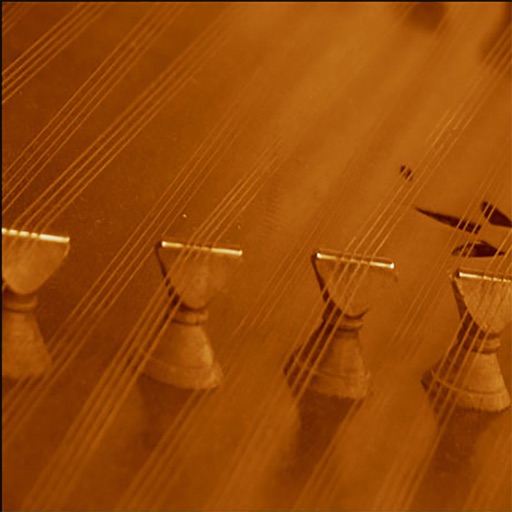
Simulate the Turkish instrument with two octaves of electronic sound. Adjust pitch by sliding fingers on strings. Apply effects and Turkish rhythms. Control volume and balance. Record and playback performances.
Create and manipulate sounds using touch gestures on the X-Y pad. Adjust filters, effects, and waveforms in real time. Save and share custom sound presets. Control tempo and pitch with on-screen sliders. Connect to external devices via MIDI.
Play multiple instruments simultaneously using MIDI Polyphonic Expression. Access 8 layouts with multiple rows and octaves. Choose from 15+ scales. Use a powerful arpeggiator. Operate as a standalone device with multiple keyboards.
Play virtual instruments with multitimbral capabilities. Supports standalone or plugin mode. Compatible with macOS, Windows, Linux, and iOS. Adjust interface size for different monitor setups. Control via SL Keyboard or other MIDI inputs.
Offers sight-reading practice with adjustable complexity, tempo, and time signature. Users can play along with generated rhythms and track accuracy and streak length.
The app allows users to play the Koto, a Japanese stringed instrument, on iPhone. It includes recording, playback, and demonstration features, with tone scale changes and pitch-bend functions.
The app provides Wi-Fi MIDI control for FL Studio on computers. It allows users to connect phones or tablets to control various functions and plugins, with options for custom tabs and controls.
The app offers a musical experience with eight glowing instrument sounds including piano, drums, and guitar. Users can record their music and replay it with different instruments.
Play traditional sounds with adjustable chord, rhythm, and instrument volumes. Customize pitch by sliding strings and transpose notes. Adjust rhythm speed and access two octaves of playable range.
Create and customize sounds by describing them. Use the Preset Generator to transform text into unique sound presets. Adjust color-based sound parameters to shape tones and rhythms. Export and share custom sound creations.
Create and manipulate complex sounds using a vintage synthesizer interface. Adjust filters, envelopes, and oscillators. Control via MIDI, MPE, and Ableton Link. Export audio files and integrate with AUv3 plugins.
Learn music theory through interactive gameplay. Select an instrument, key signature, scale, and note range. Play notes on the staff to destroy them before they harm your clef. Notes increase in speed with each correct answer.
Tune instruments a and . Generate pitches using four waveforms. Use advanced DSP for precise tuning ±0.1 cent accuracy. Switch between tuning modes and adjust sensitivity settings.
Record up to 16 tracks with effects like pan, reverse, reverb, tremolo, and tempo delay. Use as a standalone or plugin. Manage master and input effects. Loop and layer audio for creative playback.
Create and customize basslines with a synthesizer and drum machine. Adjust waveform shapes, filter settings, and envelope parameters. Sequence rhythms with step editors and pattern loops. Export audio files and share directly.
Precision adjusts pitch with advanced technology. Professional offers customizable tempo and time signatures. Tuning fork generates reference tones for vocal and instrument tuning. Scale generator allows exploration and practice of musical scales.