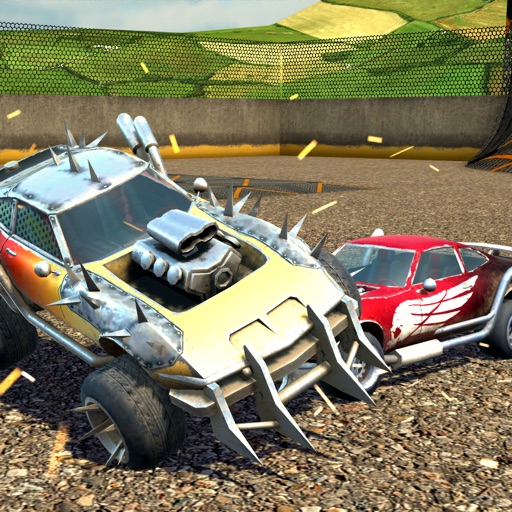
The app displays 3D models that rotate automatically for viewing from any angle. Users can control the models to stop rotating and turn them left or right.
by zhao zhiyuan★ 0.00 ratingsEntertainment$0.99Data updated 2026-10-08
Manage performer profiles with headshots and reels. Submit to the Billboard. View and respond to media, question, audition, and callback requests. Access director and talent rep connections. Track performance opportunities and communications.
View and manipulate 3D models with rotation, scaling, and sectioning. Support for BIM, Revit, SolidWorks, and over 40 3D file formats. Measure distances and preview assemblies. Export and share 3D designs.
View 3D STL files with support for ASCII and binary formats. Load models from ZIP files. Rotate, pan, and zoom for graphic manipulation. Switch between orthogonal and perspective views.
Track expenses with a simple interface. Add and categorize bills with photo support and notes. Search transactions by date or type. Set privacy with password protection. Sync bills to the cloud without using iCloud storage.
Test devices by highlighting pedal or button inputs on screen. Scroll through manuals and FAQs using controls. Adjust device settings and update software. Configure PED, PEDpro, DIGIT III, BT200, and BT200S models.
Capture real-world objects using a smartphone camera to create 3D models. Choose from formats like OBJ, STL, FBX, PLY, USDZ, GLB, and GLTF. Export models to NVIDIA Omniverse and integrate them into Minecraft as block structures.
Collect and manage historical generals from various dynasties. Engage in strategic battles and city sieges. Customize troops and tactics. Track progress through different campaigns. Share achievements with friends.
Create and animate 3D characters using MMD models and Hub. Import PMX files for characters and scenes. Access tutorials on YouTube and join Discord for support. Animate characters with dance motions and customize appearances.
3D scan spaces to create accurate CAD models and floor plans. Generate measurement reports and 2D drawings. Edit scans into professional-grade BIM files. Access video tutorials for learning. Share and collaborate on projects.
Control Wi-Fi cameras remotely to start and stop recording, view live feeds, and transfer images. Adjust settings like focus and exposure. Supports S and G series models for remote recording and image transfer.
Manage tasks and organize workflows with customizable AI assistance. Choose from multiple AI models for tailored interactions. Write, learn, and solve problems using advanced AI technologies.
Control dash cam settings via WIFI. Download and edit videos. Share videos directly from the . View real-time footage and manage storage remotely. Adjust recording modes and notification preferences.
Capture and scan objects or spaces to create detailed 3D models using camera zoom, auto-timer, and manual focus. Scan areas by walking with a mini-map, interactive camera views, and real-time raytrace preview.
Customize appearance with over 15,000 themes. Access weather-based animated themes. Save frequently used text with QuickText. Include calculator and other utility tools.
Browse and compare new and used personal watercraft models. Filter by type, price, and features. View detailed specifications and images. Contact sellers directly through the .
Answer: AI PRO allows users to engage in natural conversations using advanced AI language models. Users can ask questions, request information, and receive detailed responses.
Arthur Eduardo Skaetta Alvarez Desenvolvimento de Software LTDA.
View 3D models, rotate, zoom, paint
View 3D models in real time with rotation, zoom, and painting features. Simulate 3D printing to detect issues without using materials. Use AR mode to visualize models in real-world environments. Export and share models directly.