The app combines iPhone video camera images in transparency to create new pictures. Users can choose when to save the final image and browse, select, and share captured images.
by David Gagnon★ 3.37 ratingsPhoto & VideoFreeData updated 2026-10-07
The app allows users to create time-lapse and stop-motion projects using their device's camera features. Users can import images and videos, edit them with various tools, and export UHD 4K+ videos with custom settings and filters.
Edit photos with enhancement tools, effects, and color splash. Add stickers, frames, and overlays. Create collages and custom drawings. Crop, rotate, flip, and straighten images. Adjust brightness, contrast, and saturation.
Create time- and stop-motion videos with intuitive controls. Adjust speed, add transitions, and apply filters. Export in various formats and share directly. Sync with cloud services for backup and access.
Apply realistic filters for vintage tones. Add grain and scratches for authentic texture. Adjust exposure and contrast for -like lighting. Export in high resolution and share directly.
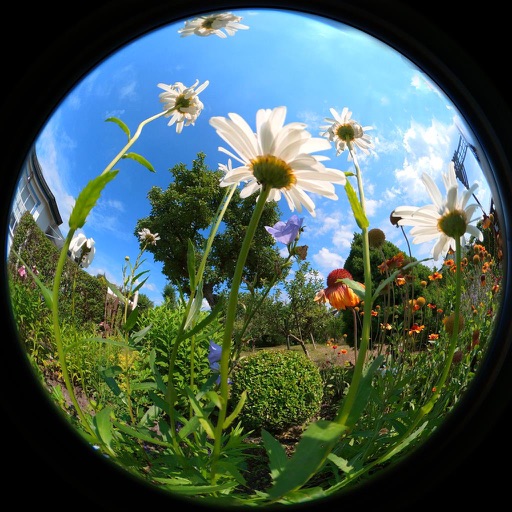
View photos and videos captured with lenses, offering wide-angle perspectives up to 230 degrees. Zoom in on images, save them for personal use, and access content requiring an internet connection.
Preview footage, control settings, update firmware
Preview and manage dash cam footage and photos. Control settings and update firmware. Transfer files wirelessly to a phone. Share videos and images directly to social networks. Review content without needing a computer or cables.
Backgrounds from images with precise touch or auto-target tools. Maintain transparency for use in apps like Keynote or Pages. Edit pixels for accuracy and erase or restore specific areas.
Edit photos and videos with advanced auto enhance tools, double exposure, and 425 special light effects. Apply filters, add stickers, typography, and vignettes.
Turn your phone into a DSLR with computational photography and AI. Capture 4K Ultra HD videos and photos. Use large aperture for bokeh effects. Switch between and standard modes. Edit and share directly from the .
The app provides tools for image adjustments like saturation and contrast. It offers light leaks, emulsion, grain, and scratch effects to mimic vintage cameras.
Edit photos with color filters, light effects, and frame borders. Apply effects like Instafit and Orton. Add film grain and adjust contrast, brightness, and saturation. Include text with 30+ fonts. Share edited images to social networks.
Take time-lapse photos with adjustable interval settings. Create movies from captured images. Store photos directly in the . Export videos in sideways orientation. Adjust settings for photo and video capture.
Guests scan a QR code to capture photos and videos. Edit images with filters and cropping. Share content directly to social media or via email. Save photos in a private gallery. Add captions and tags to memories. Sync photos with -specific albums.
Capture photos and videos using Bracketing, Slow Shutter, and Time-lapse modes. Adjust exposure, focus, and white balance manually. Export raw files and share directly. Sync with Apple Health for activity tracking.
View live video feeds from a wireless camera on iOS or iPad devices. Capture still images in JPG format or record videos in MP4 format at 720P resolution. Save and share media files directly from the device.