The app plays back audio files, allowing users to alter playback speed and pitch independently while maintaining audio quality. Its interface is designed for keyboard control, enabling musicians to practice with an instrument in hand.
by HEINZ GOETZ★ 0.00 ratingsMusic$5.99Data updated 2026-10-07
Manage with folders, subfolders, and custom colors. Create personalized score covers for quick browsing. Use smart folders that auto-organize by composer. Edit scores, annotate pages, and share files directly.
Tune instruments with precise detection. Adjust level and quality thresholds for accurate readings. Display real-time frequency and note identification. Share tuning results via email or social media. Sync with iOS devices for seamless use.
Learn and relative through interactive exercises. Identify double-stop notes using just intonation. Practice chord recognition and matching. Track progress with in- feedback and repetition. Sync with music libraries for real-time comparison.
Create rhythm patterns for guitar, bass, keyboard, or other instruments. Control verse, chorus, transition, fill, intro, and outro sections. Use Bluetooth MIDI Pedalboard for hands-free operation. Adjust timing and tempo in real time.
The app allows users to compose music scores with various symbols and multiple tracks. It supports different instruments, transposing instruments, and playback.
Offers a metronome with tempo adjustment and common tempo options. Includes a transposed tuner showing frequency and note. Features an interactive fingering chart, musical term dictionary, transposition tools, and scale practice exercises.
The app allows users to customize multi-track backing tracks by removing instruments or vocals, changing key and tempo. It includes optional click track and count-in features for drummers and saves user settings automatically.
Learn to identify intervals by associating them with melodies from popular songs. Receive immediate feedback after each guess. Incorrect answers trigger a melody starting with the correct .
Play audio files with speed control, pitch adjustment, and equalizer settings. Support remote control via compatible earphones. Adjust volume up to +20 dB. Cannot play iCloud or DRM-protected files.
Practice identifying , , and intervals through interactive exercises. Train ear to recognize melodies and chord progressions. Play accompaniment on guitar or piano. Track progress with built-in exercises and scales.
Learn music by slowing down, looping, or repeating video lessons. Adjust tempo in 5% increments. Control playback with MIDI or Bluetooth. Compatible with YouTube, Vimeo, Truefire, and other video platforms.
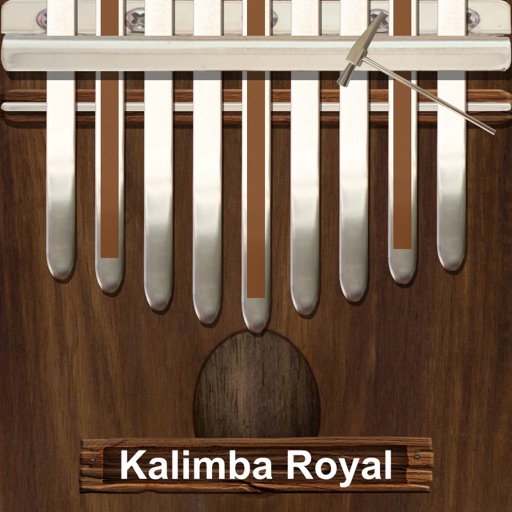
Play a traditional African musical instrument with metal tines. Pluck tines with thumbs to create melodies. Adjust pitch and volume. Save and share recordings. Learn scales and chords through built-in lessons.
Loop sections of songs for targeted practice. Adjust pitch and tempo in real time. Change pitch up or down by semitones. Sync with devices for playback.
The app offers tools for learning, practicing, and teaching music. Users can adjust tempo and pitch, repeat sections, and visualize songs for focused practice.
The app processes audio with real-time time stretch, pitch shift, and a 31-band equalizer. It also functions as an AUv3 host and supports A-B loop playback, center cancel, and mute functions.
Mix and perform live with a 2-deck DJ setup. Import and sort music by title, artist, album, BPM, or length. Apply real-time Pro-grade FXs and use over 70 one-shot samples and 12 loops. Access Soundcloud library for tracks.
Record and audio for voice or instruments. Create song sections like verse, bridge, and chorus. Switch between sections in real time. Import audio files and use drag-and-drop. Apply effects and overdub tracks. Supports iPad and iPhone.
Play audio files at adjustable speeds from 0.5X to 2.5X with precise control. Access study mode for A/B repeat and quick rewinding. Set a sleep timer to automate playback shutdown. Control playback remotely and manage multitasking.