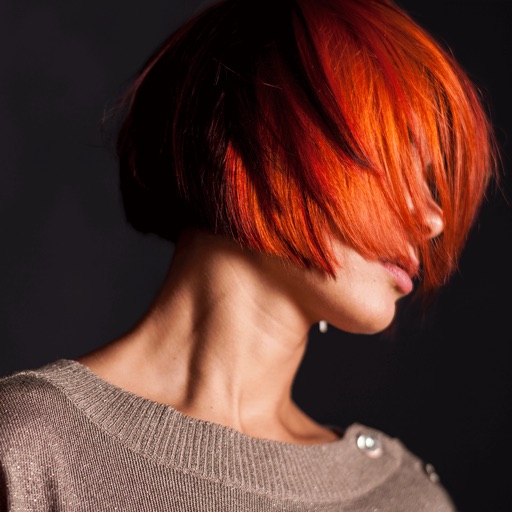
The app transfers colors from one photo to another, allowing users to discover new color combinations. It harmonizes a group of photos to have the same tone, and results are saved at original resolution.
by Yellow Cedar Software, Inc.★ 4.531 ratingsPhoto & Video$1.99Data updated 2026-10-06
Edit photos with filters, backgrounds, and effects. Adjust skin tone, eyes, and hair. Apply one-tap enhancements for natural results. Share edited images directly to social media. Add text and stickers to photos. Export in multiple formats.
Correct underwater photos and videos by adjusting color tones with a single tap. Transform dull blue-green hues into natural, vivid colors. No account needed. Access example media in the help section.
Capture photos with AI-driven replication. Save a reference image to mimic its colors and tones. Adjust exposure, contrast, and saturation automatically. Export edited photos in high resolution. Share directly to social media or messaging apps.
The app transforms user photos into watercolor and ink illustrations. Users can save and share their creations through various social media and messaging platforms.
Edit photos with advanced retouching tools, AI-powered headshot enhancement, and customizable filters. Adjust skin tone, remove blemishes, and refine details. Share edited photos directly to social media platforms.
The app extracts colors from photos or camera snapshots to create palettes. It displays colors in HEX, RGB, HSL, and HSB, and allows users to copy codes or export palettes in various file formats for design projects.
Create gallery-style portraits from images using automatic painting tools. Add color, light, and texture for realistic effects. Choose between classic-style brushes or modern-colored options. Save and share finished artworks.
Edit photos with background removal tools, AI-generated backgrounds, and color changes. Remove and replace backgrounds instantly. Add text, stickers, and filters. Export edited images in various formats.
The app offers premium quality Prints, Photo Books, and Photo Gifts. Users can add their photos to create personalized items like calendars and puzzles, all printed by a skilled team.
Edit photos by applying customizable textures from a library of 45+ patterns. Adjust brush size and texture opacity for precise control. Change texture colors to match the image's tone using the Tint feature.
Edit photos by selecting from a gallery or capturing new images. Apply unique and not found elsewhere. Adjust background colors and photo size. Combine multiple with a single tap. Export and share edited photos.
Edit photos with enhancement tools, effects, and color splash. Add stickers, frames, and overlays. Create collages and custom drawings. Crop, rotate, flip, and straighten images. Adjust brightness, contrast, and saturation.
Create photo collages and composite images by combining up to 11 photos in a single layer. Remove unwanted areas with the background eraser tool. Adjust color tones to enhance image appearance. Export edited photos in various formats.
Capture photos and videos with retro color effects inspired by CCD cameras. Adjust high contrast settings and use a vintage interface. Record audio with analog-style filters. Share edited content directly.
Provides even lighting for photography subjects and transparencies. Select predefined colors or create custom ones with RGB sliders. Capture images to identify RGB values. Adjust opacity and brightness. Enable full screen mode by tapping the screen.
Add multiple decorated texts to photos with various fonts and styles. Adjust color, size, and shadow. Add outlines and reposition texts. Save the edited .
Remove backgrounds from product photos using AI. Retouch images with one tap. Change backgrounds automatically based on product type. Export edited photos for online marketplaces. Adjust colors and brightness for professional results.