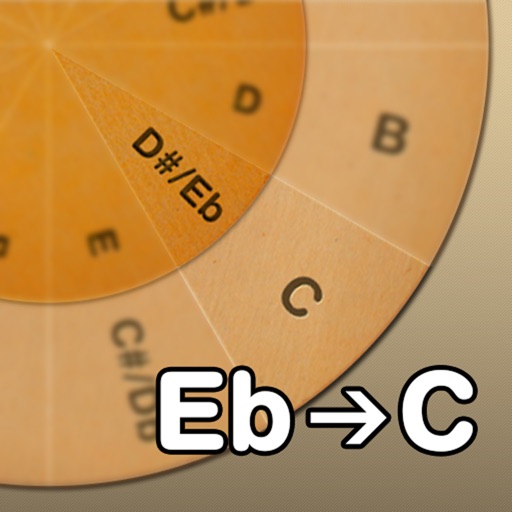
Adjust musical keys by rotating wheels to match original and target keys. Transpose chords for guitar players using capo positions. Modify song pitch to suit vocal range or instrument tuning.
by GaHyun KIM★ 4.332 ratingsMusicFreeData updated 2026-09-08
Find with fingering positions, fret numbers, and string instructions. Learn variations and listen to audio examples. Automatically detect and recognize chords for acoustic, electric, and classic guitars.
Chords and scales with interactive lessons. Use a virtual simulator to practice strumming and fingerpicking. Track progress with lesson completion and skill assessments. Access chord diagrams and tablature for reference.
View chords in augmented reality on a piano. See finger placements for over 130 chords. Play chords by touching the piano keys. Adjust settings and save custom configurations.
Record audio or virtual instrument tracks with up to 32 channels. Choose from over 200 built-in instruments or use a SoundFont library. Edit and mix recordings using multitouch controls. Export final tracks in various audio formats.
The app identifies chords and scales, displaying their construction on a grand staff. It offers fingering, relative scales, and compatible chords, aiding composition and practice with a chord progression builder.
Tune musical instruments with real-time pitch detection and accurate results. Automatically identify and adjust pitch by touching strings or keys. Manually select and tune specific strings or keys.
Learn to play the by recognizing musical notes and pressing keys to create chords. Practice playing simple tunes. Explore other musical instruments in the . Track progress through interactive lessons and exercises.
Select chords with a single touch. Tap the key button and slide to choose chord types. Play any common chord instantly without presets. Connect to MIDI devices for real-time control. Adjust chord voicings and transpose on the fly.
By slowing down without pitch change. Loop sections for focused . Isolate vocals, drums, and instruments using AI. Record own . Control playback with Bluetooth foot pedal. Import songs or use Apple . Adjust speed, pitch, and BPM during .
Practice identifying , , and intervals through interactive exercises. Train ear to recognize melodies and chord progressions. Play accompaniment on guitar or piano. Track progress with built-in exercises and scales.
Learn by viewing real-time fingering on a virtual fretboard while listening to songs. Slow down tracks, create custom loops, and improvise. Access free interactive lessons for all skill levels and genres. Purchase additional instructional content.
Find chord diagrams for guitar, ukulele, and mandolin. Enter chord names to view different voicings or adjust diagrams to identify new chords. Hear how each chord sounds. Supports alternate tunings.
View and learn diagrams for all standard chords. Strum chords to hear their sound or individual strings for note recognition. Switch between left-handed and right-handed displays. Choose from standard, baritone, or D tunings.
For verses, choruses, and other sections. Record audio for each part separately. Use the Chord Picker to add chords. View chords above in display mode. Add guitar tablature and access over 1000 chord diagrams.
The app provides a collection of Russian and non-Russian songs with acoustic guitar tabs. It includes a search function, chord generator, and a guitar tuning tool for users.
Tune , , and strings with precision. Select instrument type and adjust pitch using visual indicators. Save custom tuning settings and share tuning results.
Ukuleles in various modes including soprano in C, concert, and tenor. Automatically detect and adjust string pitches. Display tuning notes and chord diagrams. Save custom tunings and switch between presets.