The app allows users to draw on their screen over applications. It supports global shortcuts for showing and hiding the tool, an undo stack, and various shapes.
by Nicolas Zinovieff★ 0.00 ratingsUtilities$0.99Data updated 2026-10-05
Manage access by setting time-based restrictions or geographical locations. Automatically block or allow apps based on location or schedule. Customize rules to control application usage during work or study sessions.
Learn Excel, Word, and PowerPoint through with drag-and-drop exercises, shortcuts, and real-time feedback. Practice tasks like formatting cells, creating charts, and applying styles. Track progress and revisit lessons for reinforcement.
The app displays all fonts installed on the iPhone. It serves as a visualization tool for software developers and their customers, showing available fonts without altering them.
+ allows users to add personalized home-screen widgets. Features include , QR code generation, astrology forecasts, calendar views, and countdown timers. Users can customize layouts and access various types for enhanced screen functionality.
Control applications using MIDI devices by assigning keyboard shortcuts to notes. Import and export mappings. Display shortcut triggers with hints. Add delays and custom triggers. Sync note and CC values. Launch automatically on startup.
Create blur effects by tracing fingers over photos, automatically corrected for natural results. Zoom in or out with pinching gestures for precise . Check results by tracing over the screen.
The app transforms a Mac into a full-screen web browser kiosk. It allows users to set a default homepage and control address bar access, offering flexibility for various public access needs.
Customize icons with a variety of styles and designs. Add personalized shortcuts to the home screen. Choose from hundreds of icons in the library. Protect personal data as per privacy policies.
The app allows users to configure the Beo5/6 remote to control non-B&O products. Users require the official B&O configurator tool to utilize this application for programming their remote.
Automatically switches layouts based on application context. Assign custom shortcuts for layout changes. Supports multiple input sources and allows quick access to frequently used layouts.
Access customer data and track pending applications
Access customer and policy details securely. Follow up on pending applications remotely. View and update application statuses. Share documents and communicate with team members. Manage tasks and track progress.
The app records screens, audio, and video, offering editing and media conversion. It supports separate input capture and audio-only exports, integrating with macOS technologies for a native workflow.
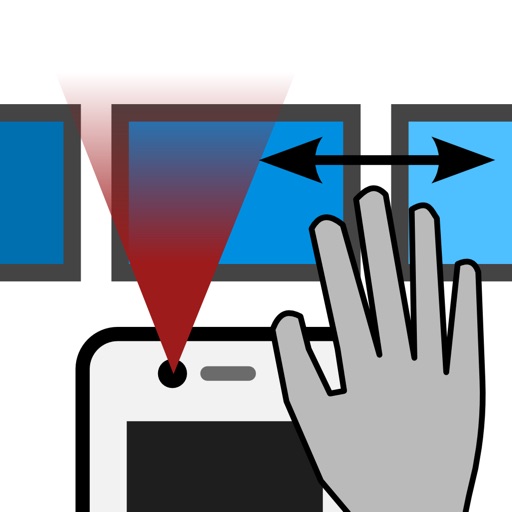
The app allows device control through hand gestures in the air. Users can browse pictures using swipe gestures without touching the screen, which is useful for presentations and for those with difficulty using their hands.