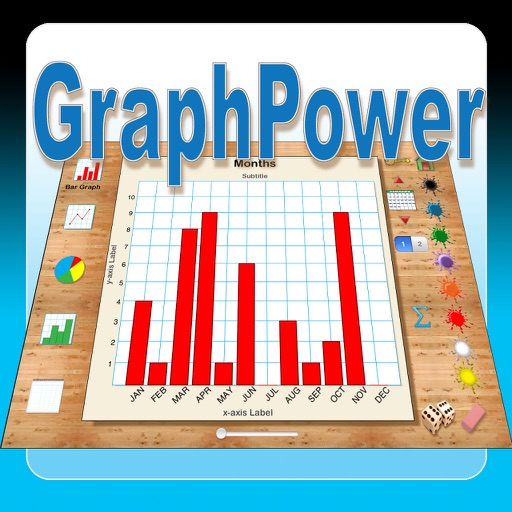
The app offers an educational tool for data analysis and graph interpretation. Students can create bar graphs, line graphs, circle graphs, and histograms on their iPads, with options for titles, labels, and scales.
by Ventura Educational Systems★ 1.01 ratingsEducation$2.99Data updated 2026-10-04
Sound levels with SPL metrics including current average, peak, average maximum, and absolute maximum. Display graph histograms for level changes. Save measurements and reset maximum values by tapping. Support upside down orientation for easy use.
The app allows users to create multiple named counters for various counting needs. It offers statistic graphs for each counter and supports managing counters, groups, and colors.
Create a volleyball team by analyzing classroom data. Interpret bar, pie, and line graphs. Calculate mean and median values. Use statistical insights to form an optimal team for tournament success.
Reference "Access and calculus tables with explanatory visuals. Pinch to zoom graphs and formulas. View detailed information with low power usage. Covers first-year topics."
Track behavioral with customizable forms and real-time updates. Log observations, schedule interventions, and generate reports. Share securely with team members. Comply with HIPAA and FERPA standards.
Solve math problems step-by-step with detailed explanations. Input equations to see solutions. Learn algebra, functions, fractions, and graphs. Verify answers and track progress. Supports multiple math topics including linear and quadratic functions.
Track sessions by selecting subjects and setting limits. duration manually or through a countdown. View history with pie charts and stacked bar graphs to analyze spent per subject. Interrupted sessions pause the count until resumed.
Learn concepts through clear explanations, visual aids, and interactive content. Explore tables, chemical reactions, and molecular structures. Test knowledge with quizzes and practice problems. Access detailed facts and diagrams without ads.
Perform complex calculations with root, power, trigonometric, and logarithmic functions. Calculate factorials and double factorials. Draw graphs, use four memory blocks, insert constants, and make notes.
Track with single-touch activation. Log tasks, projects, studies, workouts, sleep, and child activities. View daily, weekly, and monthly statistics through diagrams and graphs. Manage usage and set activity goals.
The app simulates using cubes to build bar graphs, providing feedback for logical relationships. Students manipulate virtual cubes to create graphs representing collected data through surveys.
Sound levels with SPL metrics including current average, peak, average maximum, and absolute maximum. Display graph histograms for adjustable settings. Save measurements and reset max values by tapping. Support upside down orientation for easy use.
California Independent System Operator Corporation
Track grid conditions and calendar events
Monitor energy supply and demand with real-time and forecasted data. Track renewable production and resource adequacy capacity. Receive notifications and sync calendar events for grid-related updates.
Record batting results to automatically calculate metrics like batting average and OPS. Visualize performance data with graphs and compare results across game formats. Export and analyze detailed statistics for individual games.
Visualize and interact with and data structures through dynamic animations. Explore step-by-step breakdowns of sorting, searching, and graph . Practice coding exercises and test knowledge with quizzes.
Scientific calculator allows complex equation solving, graphing in portrait and landscape modes, and polynomial root finding up to 10th degree. Adjust font sizes and graph line widths. Solve systems of equations and matrices.