Apps Like SHARP Display Connect for iPhone and iPad
Share information across devices wirelessly.
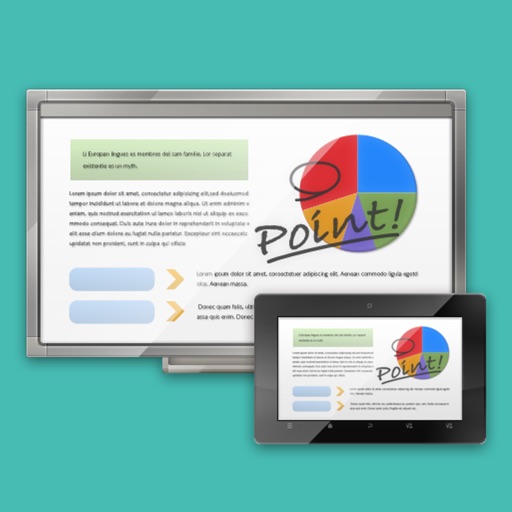
The app links a SHARP Touch Display or computer with a client device like a tablet in a wireless LAN environment. It enables sharing of meeting materials, screens, and interactive writing for annotated notes.
by Sharp Corporation★ 2.33 ratingsUtilitiesFreeData updated 2026-10-04
Enable team collaboration with secure instant meetings and password-protected events. Host large conferences and workshops with customizable meeting views. Share screens, enable live translations, and record sessions in the cloud.
Manage business networks remotely with real-time monitoring and control. Set up and manage routers, access points, and switches without an IT team. Create custom network configurations and define user roles for employees and guests.
Access desktops securely from iOS devices. Launch applications like Word, Outlook, and Photoshop. Connect via two simple methods. Save session bookmarks. Adjust resolution and customize settings.
Sync devices to create real-time playlists on a host’s speaker-connected device. Users can vote on songs to reorder the queue. Multiple phones connect wirelessly for collaborative playback.
Create and manipulate granular audio with real-time sound file granulation. Generate effects like time/pitch shifting and intricate textures. Record, scrub, and shape envelopes. Manipulate buffers and explore complex scrub pads.
Enable remote access to home devices without requiring dynamic domain names or port mapping. Connect and control devices across complex networks with improved transmission speed and reliability. Support ADSL, PPPoE, and LAN environments.
Tools for professionals include real-time analysis with SPL display, tone and noise generation, wavelength calculation, UHF frequency reference, antenna line loss assessment, microphone gain calculation, and recording/playback of test signals.
Control the Wireless device by adjusting lighttube intensity, pulsator settings, and headphone volume. Customize session preferences before or during therapy. Monitor device status and ensure proper setup for each client.
Control devices with a single to manage multiple devices. Set timers for 1-12 hours. Share devices with family members via one tap. Connect devices quickly and easily. Adjust environment settings for comfort.
The app creates a wireless remote camera system using peer-to-peer technology. It allows one device to act as a camera and another as a remote control with a live monitor, supporting group photos, selfies, and hands-free photography.