Apps Like HTML5 Slideshow Maker Free for iPhone and iPad
Create slideshows from photos easily.
The app allows users to create animated HTML5 slideshows using photos and music. It offers templates, transition effects, and customization options for slideshows, which can then be shared online.
by AnvSoft Inc.★ 0.00 ratingsGraphics & DesignFreeData updated 2026-10-04
Create monsters by photographing hand-drawn sketches. Convert 2D images into 3D animated characters. Customize features like eyes, mouth, and color. Export creations to view in a movie universe preview. Share generated animations directly.
Create collages by adding photos, text, and stickers to pre-designed templates. Customize layouts, adjust colors, and apply filters. Share finished collages via social media or messaging apps.
Create double exposure effects by blending two images. Adjust opacity and alignment for custom overlays. Save and share edited photos directly. Access advanced editing tools with a premium subscription.
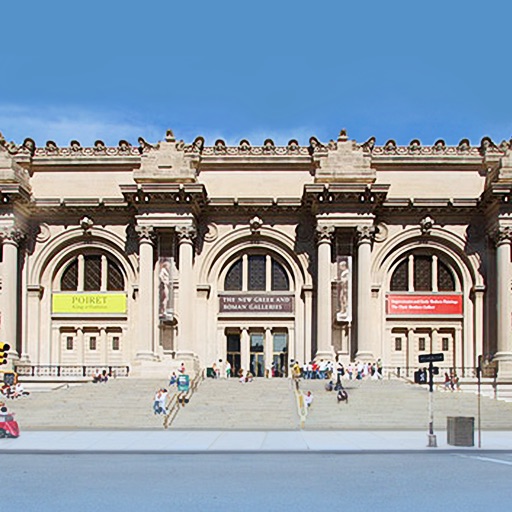
View high-resolution paintings from the Museum's collection. Explore detailed artwork descriptions. Navigate through a slideshow featuring animated graphics. Search for specific artists or artworks. Share selected pieces via social media.
Create social media posts, flyers, collages, logos, and wallpapers with drag-and-drop tools. Use pre-designed templates for Instagram, Facebook, and phone wallpapers. Add text, images, and graphics.
Apperto Bilgi Teknolojileri Ticaret Limited Sirketi
Create videos, stories, and reels quickly
Create videos, stories, and reels with drag-and-drop tools and pre-designed templates. Add text, stickers, and music. Export in various formats and share directly to social media platforms.
The app allows users to create original memes using templates and add their own text. Users can select from various meme formats and share their creations on the web.
Create invitations with customizable templates for events like weddings, birthdays, and holidays. Choose from multiple background options and add personal photos. Edit text, colors, and layouts to design professional-looking cards.
Create videos and images using editing tools. Track faces and objects. Access premium templates. Add labels and images. Download content from TikTok, YouTube, Instagram, Facebook, Reddit, Giphy, and more. Share edited content to social media.
The app presents art from the film “5 Centimeters per Second.” Users can view selected scenes from Chapter 1 in a slideshow with controllable playback. The app includes two songs from the film and a clock mode with three font options.