This music-making application combines user touch with random chord changes to create an endless, soothing melody. Visuals provide an ambient backdrop as physics-enabled balls trigger notes upon collision.
by Bryan Leister★ 5.01 ratingsMusicFreeData updated 2026-10-04
Convert into music by analyzing hues, saturation, and brightness to generate mode, scale, chord progression, and melody. Display animated visuals synced with the music. Share the resulting multimedia content.
Play a casual ball game by tapping the screen. Collect falling balls to score points. The game becomes increasingly challenging over time. Track progress and compete with others in leaderboards.
Practice ear training with interval identification, chord recognition, scale identification, and chord progression analysis. Listen to audio examples and select the correct musical elements. Receive instant feedback on answers.
Find and play guitar scales and chords for pedal and lap guitars. Support multiple string configurations and tunings. Add custom pedal and lap tunings. Display chord diagrams and scale patterns. Save and share user-created tuning setups.
Tune mandolins with precise Hz frequency detection. Access library, tuning fork, and advanced tools. Detect tuning quickly with high sensitivity. LED indicator shows string status. Strings light up when in tune. Works on iPhone and iPad.
Create melodies using the of fifths and fourths. Choose key and scale mode. Generate for selected key. Play via built-in player or arpeggio by holding chord button. Access scale notes individually with play button.
Practice music theory with multiple choice questions and call and response exercises. Identify musical elements and concepts. Compete against players globally. Track progress and receive feedback on accuracy.
Learn , , and songs through interactive exercises and games. Practice finger positioning for proper technique. Create chord progressions and improvise with backing tracks and a metronome. Record and save performances.
Organize and access PDF files. Search for songs by title. Manage real books, fake books, chord charts, and multi-page scores. View and annotate directly. Share files with other users.
Learn notes and chords through interactive . Identify key signatures for major and minor scales. Guess notes on treble and bass clefs. Play competitive to practice guitar and piano chords using a MIDI keyboard.
Tune strings with frequency detection and visual indicators. Access smart library and tuning fork. Adjust advanced settings for sensitivity. Display LED tuning status. Works on iPhone, iPad, and iPod touch.
Play by touching, holding, and dragging to make the jump on . Follow the rhythm of song-based challenges. Avoid missing and do not tap the screen. Track score and progress through levels.
The app guesses the beats, chords, and key of songs from a user's music collection. It helps musicians learn songs by breaking them down into individual parts.
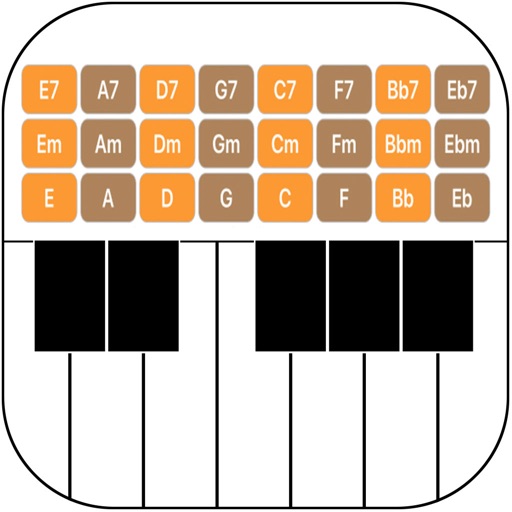
The app allows users to select a root note and chord type to play chords on a piano. It offers features like Auto Select, Chord Tone Pads, Octave Shift, and Key Transpose for learning and music theory study.