The app allows users to create patterns by layering motives, selecting colors, and adjusting their position, scale, or rotation. The resulting patterns can be shared, used as backgrounds, or printed.
by Dominik Wei-Fieg★ 3.02 ratingsPhoto & VideoFreeData updated 2026-10-04
Color and patterns with one finger. Choose from hundreds of designs or create custom ones. Track progress and save projects. Includes calming sounds and guided relaxation sessions. Share completed work with others.
Match colored threads to fill fabric areas and complete levels. Create patterns and embroidered images by grouping threads. Track progress through increasingly complex designs.
Create fluid simulations by touching the screen to manipulate colorful, flowing patterns. Adjust movement speed and observe calming or dynamic visuals. Share created art or save snapshots of fluid animations.
The app presents a visual analogue to a sound synthesizer using on-screen particles. Users manipulate particle properties to create varied patterns and textures, exploring visual harmony through differential motion.
Transforms the iPhone camera into a filter. Users can adjust shapes, colors, and patterns to create visuals. Move the device to change compositions and capture dynamic art. Share generated images directly.
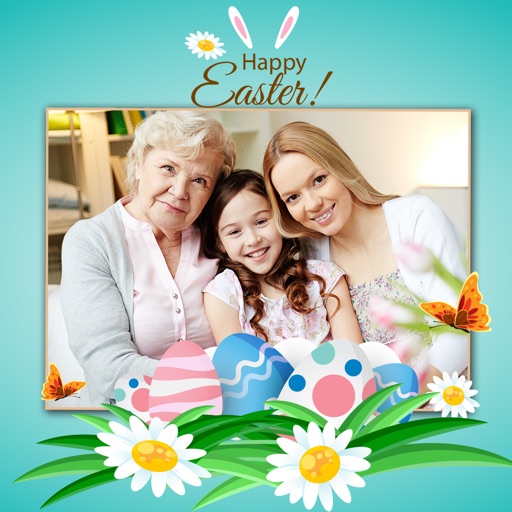
Create with customizable templates and frames. Add stickers, emojis, and crop images in various ratios. Include handwritten text and photos to personalize messages for loved ones. Share directly through supported platforms.
The app offers a digital coloring experience with over 120 free animal pictures. It features a stay-in-line brush, nine brushes for painting and drawing, and 50 pattern brushes for a unique coloring book and drawing pad.
Arrange colorful blocks on baseplates to cover them completely. Select from various shapes and colors. Complete levels with unique baseplate layouts. Solve puzzles by strategically placing blocks. Track progress through different challenges.
Create rhythm patterns using personal music and play them within the . Share patterns with other users. Use Rhythm Idols to accompany gameplay. Customize rhythm notes with new colors and patterns.
Learn to draw with step-by-step . Bookmark favorite designs. Print blank templates via AirPrint. Prevent screen sleep with a lock button. Practice mindfulness during drawing sessions.
And customize LED lighting systems via Bluetooth. Synchronize underbody, interior, and wheel well kits to run colors and modes simultaneously. Adjust brightness, select from millions of colors, and apply preset or custom lighting patterns.
Convert photos and images into shareable and printable pixellated quilt patterns. Import photos, adjust pixel size, and export as high-resolution files. Share patterns via email or social media. Sync across iPhone and iPad.
Create mixtures by dragging and dropping basic colors onto a canvas. Combine RGB, black, white, or other hues to form new shades. Match resulting colors to pieces displayed above the screen.
Apply -themed to images from the gallery or camera. Adjust frame size and position by rotating, scaling, zooming, or dragging. Choose from fifteen in various shapes and colors. Save edited photos to the device.
Create and edit digital art with brush tools, layers, and blending modes. Import and manipulate images. Save and export in various formats. Sync files via iCloud Drive. Support Apple Pencil for precise drawing. Render graphics using GPU acceleration.