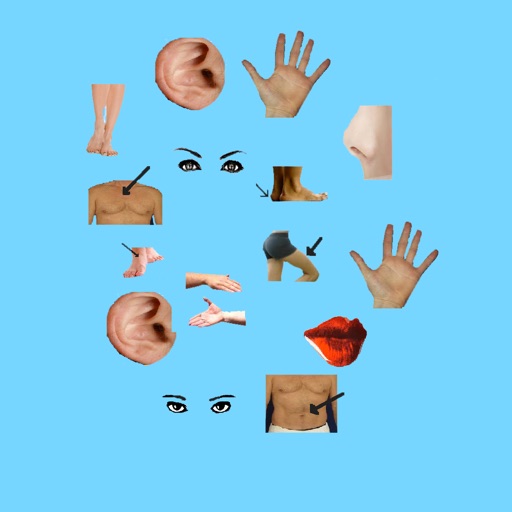
The app describes basic human body parts, divided into upper, middle, and lower sections. It uses blur technology to highlight parts and offers descriptions in English, Spanish, French, Russian, and German.
by Gomathy Shankaran★ 0.00 ratingsEducation$3.99Data updated 2026-10-02
Explore a 3D model of the International Space Station. Rotate, zoom, and select individual components for detailed views. Access information tabs for part descriptions, hierarchy, settings, and details. View the entire ISS with labeled categories.
Create contraptions using wood planks, springs, engines, pistons, and wheels. Adjust physics settings and test designs in a 2D environment. Save and share custom builds. View live coding streams and access open-source code.
Teach children vocabulary through interactive activities. Explore 18 categories including alphabet, numbers, colors, shapes, and animals. Include sound effects and visual cues to enhance .
Through interactive lessons and exercises that include reading, writing, and listening. Study 1000 vocabulary with images and native audio. Complete activities and tests for each of 60 topics across 11 worlds.
Learn about insects through simple English explanations and audio narration. Explore seven categories including Unusual, Dangerous, and Common bugs. View effects, causes, and importance of insects. Mute audio as needed.
Learn the alphabet, numbers, colors, animal names, and more through interactive lessons. Identify body parts, shapes, and vehicles. Practice recognizing days and months. Complete quizzes to reinforce knowledge. Share progress parents.
Learn numbers and through interactive activities. Trace numbers up to 100, match numbers to sequences, and count geometric shapes. Provide feedback on answers and progress.
The app offers a classic Hangman game with approximately 450 words for children. It includes five word categories and is available in five languages, with a statistics screen to track progress.
The app teaches children ages 2-8 dinosaur names, body parts, and facts about their size and habits. It includes interactive lessons and puzzles based on Montessori principles, co-developed with an experienced Montessori teacher.
Learn CNC programming by simulating operations. Input G-code to machine parts. Rotate and zoom 3D models. Adjust tool paths and view machining results. Practice setup and tooling configurations.
Learn and in 100 languages including English and French. Practice reading, writing, and pronunciation through interactive games. Explore 100 topics related to everyday life and travel. Review vocabulary in real-world contexts.
Correct pronunciation and spelling through visual and audio cues. Use "Smart-Teacher" to organize the learning process. Add new to vocabulary by playing. Practice reading, speaking, and listening to improve language skills.
Learning provides 560 diagrams and for studying body systems. Users can browse diagrams by body part including head and neck, thorax, abdomen, arm, and leg. Features include zooming, rotating, and labeling structures for review and revision.