Perform calculations with a multitouch and spreadsheet interface. Copy numbers by tapping them and paste at the cursor. View and scroll through calculation history on the screen. Access real-time memory for stored numbers.
by NICOLAS CARREL★ 5.09 ratingsProductivityFreeData updated 2026-09-08
Calculate and edit expressions with a -like interface. Add comments and corrections instantly. Share results or save calculations as notes. Supports multi-line input and basic arithmetic operations.
Calculate values with hours, minutes, and seconds. Perform math operations including multiplication and division. Convert between distances and standard numbers. Track splits and paces for -based activities.
Allows users to perform calculations directly within compatible apps. Input equations using the . Dark Mode is supported. Full iPadOS compatibility is available. Customization options are provided.
Perform complex calculations using RPN input. Access advanced mathematical functions and programming capabilities. Store and recall values with memory registers. Use a redesigned interface for enhanced usability.
Perform calculations with basic arithmetic, fractions, and advanced functions. Store calculation history for review. Switch between light and dark modes. Use HD display for clear results. Adjust layout for easier input.
The app allows users to enter and modify formulas while checking them, preventing errors. It provides a history of formulas and answers, supporting various number systems and memory functions for calculations.
Perform basic and calculations including trigonometric and inverse trigonometric functions. Use mathematical functions like absolute value, ceiling, floor, and rounding. Modify calculations in real time by clicking steps.
The app offers a calculator with a flat design and customizable colors including purple, blue, green, orange, and pink. It features a 16-digit display, calculation history, and result copying to the clipboard.
Learn addition and subtraction using a Soroban . Move beads to perform calculations. Practice basic math operations. Track progress with interactive exercises. Sync with devices for continued learning.
Customize appearance with themes, button shapes, and colors. Choose from six layouts and control all visual elements. View input and result simultaneously on dual-line display. Adjust settings for precise calculations.
The app offers ultra-high precision calculations up to 37 digits. It supports basic arithmetic, exponentiation, radicals, logarithms, factorials, permutations, combinations, trigonometric, hyperbolic, and integral operations.
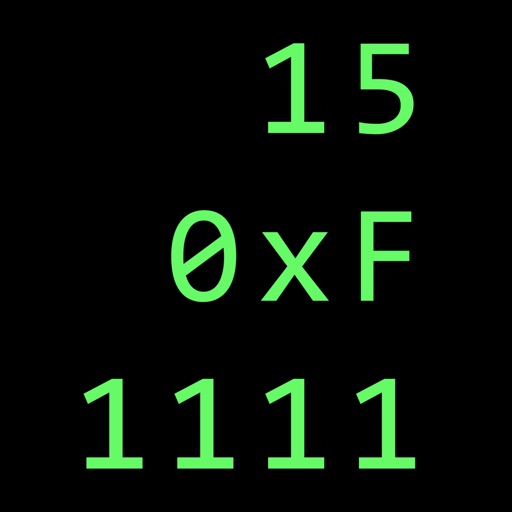
Calculate in binary, hex, and decimal simultaneously
Convert numbers between binary, hexadecimal, and decimal bases. Display all three bases simultaneously. Switch input modes and see results in all bases. Perform arithmetic, logic, and bitwise operations. Support unsigned and 2’s complement numbers.
Perform complex number calculations and trigonometric functions. Handle matrix operations and numerical root finding. Calculate integrals and statistical values including linear regression. Write and execute custom programs. No ads or in- purchases.
The app calculates cost, margin/markup, price, and commission. It includes a break-even calculator to determine necessary product sales for profitability during promotions.
The app records every calculation step, allowing users to modify any step and recalculate without re-entering data. It functions like a printing calculator with a paper tape history for clarity and ease of use.
Perform complex calculations with scientific, financial, and unit conversion tools. Access 10 financial worksheets for budgeting and planning. Switch between landscape and portrait modes. Save and export calculation results.