The app allows users to measure and adjust speaker toe-in angles using an iPhone, iPad, or iPod Touch. On-screen icons and color-coded numbers guide users to match speaker angles for improved audio system performance.
by Howard Massey★ 3.311 ratingsUtilities$0.99Data updated 2026-10-02
Use optimized sound frequencies to clean phone speakers and remove buildup. Initiate one-tap mode for instant cleaning. Test performance before and after cleaning. Monitor noise levels with a decibel meter. Adjust volume safely for iPhone speakers.
Control lighting profiles, adjust equalizer settings, and change FM radio stations. Play music from your device. Switch between custom and preset lighting options. Manage audio output and speaker settings.
Play music files from iTunes library and device storage. Adjust quality using the AQS-XI sound engine. Customize sound with equalizer, virtual surround, and cross fader.
Allows users to generate tones across a 0 to 20,000 hertz range. It includes preloaded sounds for various uses. Users can switch audio output between device speakers and external outputs. The provides visualizations of sound waves in real time.
Use sound frequencies to dislodge from phone speakers. Tap to initiate the process. Clear trapped and restore sound quality quickly. No need for manual cleaning or drying methods.
Provides acoustic feedback for leveling surfaces. It detects tilt direction and emits high-pitched beeps for upward adjustment and low-pitched beeps for downward adjustment.
Monitor , baby, pets, or office with real-time video streaming. Control pan and tilt movements remotely. Use infrared night vision for low-light visibility. Communicate via built-in two-way audio. Connect to Wi-Fi and power source for instant setup.
Analyze audio in real time with and FFT measurements. Visualize frequency response and adjust settings for room or speaker tuning. Export measurement data for further analysis.
Manage settings for connected speakers. Control volume, balance, and equalizer. Access personal music library or stream from preferred services. Pair and manage Wi-Fi enabled speakers. Adjust speaker settings for optimal sound quality.
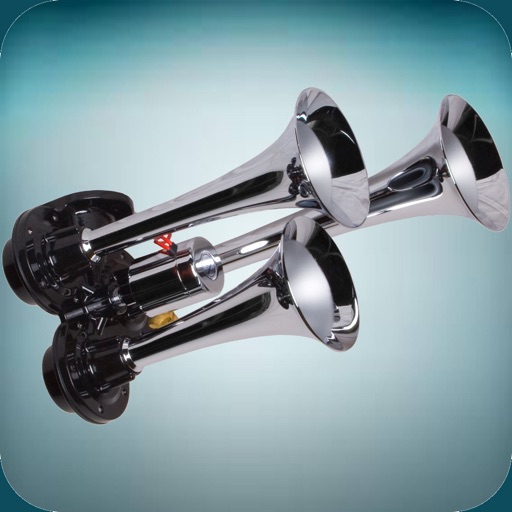
The app offers a variety of loud horn and siren sounds. Users can select sounds like police sirens, air horns, boat horns, and truck horns to use as ringtones or alert sounds.
Enhance audio with boosting and equalization. Adjust levels and apply custom effects. Play music from iTunes or Apple Music. Tap speaker icon to instantly boost . Sync with headphones or speakers for optimized .
Test audio tones to evaluate performance. Use built-in functions to identify and address sound issues. Adjust volume and frequency settings for accurate testing.
The app provides an interactive unit circle to explore relations between angles and trigonometric ratios. It includes an exact trigonometric ratios table and a handbook of trigonometric formulas.