The app allows users to measure and adjust speaker toe-in angles using an iPhone, iPad, or iPod Touch. On-screen icons and color-coded numbers guide users to match speaker angles for improved audio system performance.
by Howard Massey★ 3.311 ratingsUtilities$0.99Data updated 2026-10-02
Adjust audio settings with a customizable equalizer. Boost volume and enhance bass for louder playback. to Bluetooth devices and wired . Improve speaker sound quality with audio enhancement features.
Make free and chats with friends. Use iPod touch, iPad, or iPhone for and chats. No call limits or fees. Speaker phone functionality available without accessories. supported on 3G or Edge connections. Requires for setup.
Test phone speaker performance by playing a steady tone. Assess sound clarity, resonance, and output consistency. Adjust volume and frequency settings for accurate evaluation. Save test results and compare audio quality across devices.
Generates tones between 0 Hz and 25 kHz to remove dust and from speakers. Users can manually set frequencies and adjust cleaning duration. It tests performance and clears debris for improved audio quality.
Control volume and select inputs for Yamaha Bars. Play audio files from phone or NAS via Wi-Fi. Adjust volume for wireless surround speakers and subwoofer. Set up Alexa voice control.
Organizes photos, videos, contacts, and calendars by identifying duplicates and unnecessary files. Automatically manages with cleanup features. Generates AI-powered photos and edits images with smart tools.
Measure angles with touch or camera modes. Tap the screen to set points and calculate angles. Capture images for instant analysis. Customize measurement tools and save multiple angles simultaneously. Sync measurements across devices.
The app broadcasts the user's voice to a Sonos system in real time using the iPhone's microphone. Current music automatically resumes after a voice broadcast, and the app uses a push-to-talk system for easy operation.
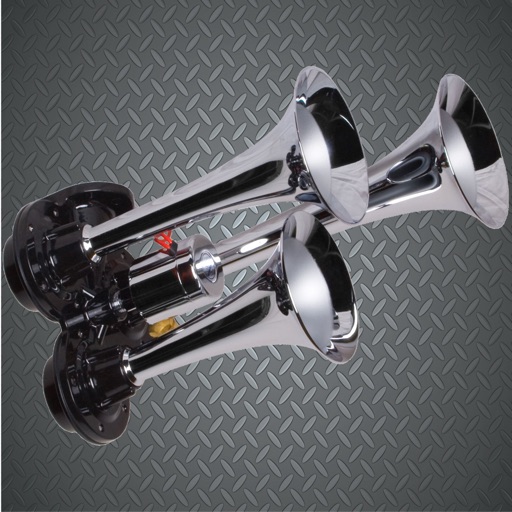
Play high-quality horn and siren sounds by tapping buttons. Select from police , air , boat , truck , fire , car alarms, reggae , and DJ . Connect to external speakers for louder output.
Test phone speakers with tones ranging from 0 Hz to 25 kHz. Use manual or automatic mode to assess performance. Perform stereo tests to evaluate sound quality. Clean speakers by generating frequencies to remove dust and buildup.
Learn word pronunciations with audio examples and compare your recording to the model. View definitions and practice speaking. Supports English, Spanish, French, German, Italian, Portuguese, and other languages.
Clean phone speakers by using variable frequencies and vibration to remove . Dry out damaged speakers and restore sound quality. Perform maintenance checks and monitor speaker health.
Clean speakers and headphones using sound waves to remove dust and moisture without disassembly. Perform automatic or manual cleaning with scheduled reminders. Conduct basic sound tests to check speaker functionality.
Use your device as a live microphone to amplify your voice. Connect via Bluetooth, AirPlay, or cable to any . Tap the screen to activate or deactivate the audio output. Works in the background and when the screen is locked. No setup required.