The app allows users to transform photos into vintage images with various color and light effects. Users can apply different frame borders, adjust contrast, gamma, and saturation, and add vignetting and noise.
by pierre gougelet★ 0.00 ratingsPhoto & VideoFreeData updated 2026-10-01
Edit and enhance grayscale photos with 20 predefined presets and custom adjustments. Apply vignette effects and modify color channels. Save personalized presets. View and share monochrome images directly.
Apply true black-and-white dithering to photos and videos, creating pixel- visuals. Adjust color palettes to mimic vintage computer graphics or classic GIFs. Export transformed in various formats and share directly.
Capture moments with customizable and color effects. Apply bokeh effects and stickers to enhance photos. Share edited images directly with friends. Edit and save photos with intuitive tools.
Apply to photos for instant style. Choose from lifestyle, landscape, street, studio, wedding, and travel . Edit images with filters, brightness, contrast, and saturation adjustments. Export edited photos in various formats and share directly.
Create collages by combining multiple photos using various frame patterns and grid layouts. Apply over 1100 design styles to individual images or collages. Share finished creations directly from the .
Create artistic images with single-tap camera effects and professionally designed filters. Adjust brightness, contrast, and tone curve. Blur and focus images. Rotate, crop, and resize photos. Add text and fun stickers.
Apply AI-generated art filters to photos using style transfer technology. Adjust brightness, exposure, and temperature for fine-tuning. Save and share edited images directly.
Capture photos with a vintage aesthetic. Apply pre-designed effects to mimic real tones. Use a simple interface to take instant photos without editing. Share finished images directly from the .
Capture and edit photos with AI-powered enhancements. Adjust colors, brightness, and contrast. Apply filters and effects. Add text and stickers. Export in various formats and share directly.
Add filter effects to photos by importing from the library or using the camera. Save favorite for quick access. Adjust brightness, contrast, and saturation. Export edited photos in various formats.
Create collages using free layouts and grids. Add stickers, text, and backgrounds. Edit photos with cropping, flipping, and layering. Save and share finished collages or stories. Generate wallpapers from edited images.
The app offers numerous standard layouts and artistic filters, including B&W and vintage effects. Users can adjust exposure, contrast, saturation, and white balance for their photos.
Apply -themed to images from the gallery or camera. Adjust frame size and position by rotating, scaling, zooming, or dragging. Choose from fifteen in various shapes and colors. Save edited photos to the device.
Edit photos using 300+ Lightroom for iPhone, including Portrait, Cinematic, Natural, Retro, and Instastyle filters. Apply instantly or export to Lightroom. Preview and organize across multiple categories.
Edit photos with drawing tools, text stickers, and customizable colors. Crop with adjustable ratios. Apply filters and effects to change visual styles. Adjust brightness, contrast, and saturation for professional results.
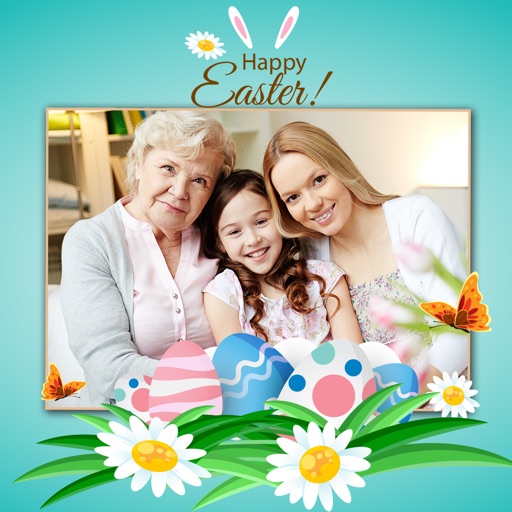
Edit photos with holiday-themed frames, filters, and effects. Add text, stickers, and decorations. Export in various formats and share directly. Adjust brightness, contrast, and colors for festive visuals.