Apps Like My HUD - Speedometer for iPhone and iPad
Display speed and time easily.
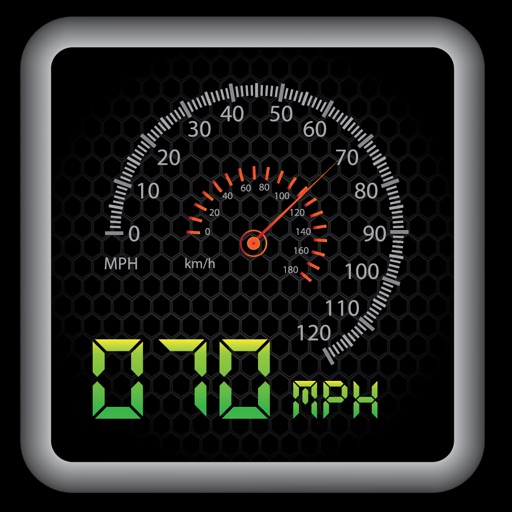
The app provides a heads-up display for a car, offering GPS-based speed information with MPH and KPH options. It includes digital and standard font modes, 12 and 24-hour clock options, and portrait and landscape orientations.
by Christopher Shireman★ 3.07 ratingsUtilitiesFreeData updated 2026-10-01
Get real-time updates and avoid accidents, construction, and potholes. Receive safety alerts and accurate estimated arrival times. Navigate with GPS and adjust routes based on current conditions. Share road conditions with other drivers.
Track current speed, average speed, and maximum speed using GPS. Display speed camera locations. Overlay video recording speed on footage. Include HUD interface for real-time speed visibility. Sync with devices for dashcam functionality.
Track vehicle speed with a digital speedometer showing current, average, maximum speed, and total distance. Use offline mode for uninterrupted performance. Access two HUD modes for windshield display. Choose from 10 themes for customization.
Track routes, find waypoints, and navigate offline
Navigate outdoors with offline GPS maps and real-time augmented reality. Track waypoints and custom locations. Use a gyrocompass, speedometer, altimeter, and inclinometer. Find celestial bodies and measure angles.
The app displays the user's current speed in various units including miles per hour, km per hour, knots, and meters per second. It offers a HUD-mode for in-car viewing and a top speed mode to track the highest recorded speed.
Display speedometer in digital or HUD mode with compass, odometer, and distance traveled. Show trip information including driving score based on acceleration. Track eco-driving metrics and weather data.
Trips with modes for walking, , and biking. View speed, distance, and elevation via GPS. Use HUD mode to display speed on the windshield. Monitor odometer and altimeter readings. Export trip data and set distance alerts.
Track speed and distance in miles and kilometers. Display maximum, average, and current speed. Show road names and speed limits. Receive speed camera alerts. View weather information. Sync with Apple Watch. Display odometer readings.
The app displays current speed in real-time using the iPhone's GPS receiver. It features analog or radioclock style displays and an optional HUD mode for projection onto a windshield.
Monitor , distance, and travel statistics in real time. Display data on a heads-up display for easy viewing. Track performance metrics and save session data for later review. Sync with devices to share results.
Track and distance with real-time GPS. Log trips and view detailed statistics. Use drag meter for performance analysis. Monitor odometer and fuel efficiency. Access advanced HUD display for driving insights.
Track speed in real-time with GPS for cars and bikes. View speed in mph and kmh using a HUD display. Set speed alerts and log trips. Monitor routes and receive accurate speed readings. Sync data for trip analysis.
Monitor vehicle with real-time current, average, and maximum readings. Track distance traveled. Use HUD mode to project onto windshield. View map-based location tracking. Switch between miles per hour and kilometers per hour.
Track and distance in miles and kilometers with real-time updates. Switch between KM/H and MPH modes. Display average and maximum . Show altitude and compass. Monitor GPS signal accuracy. Use analog . Work offline without internet.
Track speed and distance in miles and kilometers. Monitor real-time speed and display maximum and average speeds. Check speed limits and receive warnings for speed and red light cameras. Access offline maps and view weather conditions.