The app provides a collaborative music studio for teamwork on a single iPad. Users can create multiple layers of loops and phrases using multiple instruments, maintaining creative flow and capturing ideas.
by Futucraft Oy★ 4.73 ratingsMusic$29.99Data updated 2026-09-30
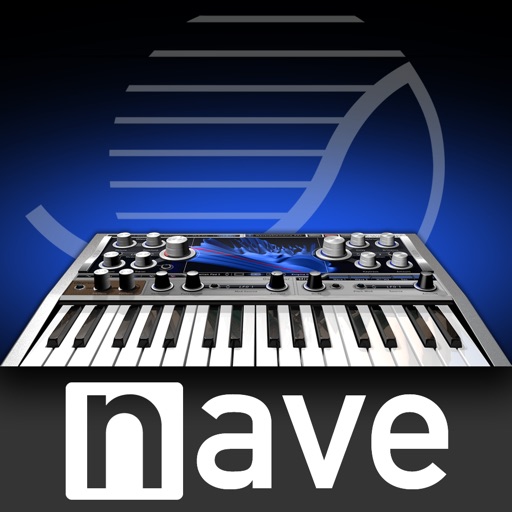
Create and manipulate sounds using two wavetable oscillators. Adjust waveform shapes and modulation parameters. Transpose sound spectra independently of pitch. Render waves with periodic noise. Save and export custom sound presets.
Create reverb effects with adjustable room sizes and filters. Modify early and late reflections, add modulation, damping, and diffusion. Use a ducker based on the dry signal. Apply effects to audio tracks in a DAW.
The app listens to instrument sounds and measures frequency, providing directives for tuning. It offers manual and auto string selection modes, along with reference sounds for single-purchase use.
Create and edit complex rhythmic patterns with independent sequence lengths for each drum voice. Generate polyrhythms and polymeters. Export sequences for use in AUv3 hosts or external drum machines.
Create a soundscape with a moving sound source by splitting audio into 4 frequency bands. Each band has a coloured sphere for adjusting pan, stereo separation, and volume. Control stereo placement with automation or random effects.
Play with full key sampling and polyphonic sound. Use as standalone or plugin in DAWs. Features MIDI input via Bluetooth LE, adjustable ADSR, filters, and effects. Includes high-quality samples and low CPU usage.
The app provides high-fidelity, full-stereo recordings of a real acoustic Tanpura. It offers natural overtones and resonance, making it a preferred choice over synthetic alternatives for students, teachers, and performers.
Play Drum allows users to play virtual drums with multi-touch support for responsive instrument control. Choose from various drum kits including Studio Heavy Kit, Rock Kit, Tight Kit, and R&B Remix Kit.
Create and customize MIDI sequences with scale selection, complexity settings, and step controls. Generate random patterns and melodies. Adjust pitch, transpose, and set playback motion. Export patterns or use Infinity mode for continuous generation.
Allows users to create custom delay signals using three effect racks. Effects can be inserted before, during, or after the delay loop. Users adjust signal flow by selecting and arranging effect modules across the racks.
Create and edit full tracks using virtual pads and pre-made loops. Switch between instruments and effects. Record and export audio files. Share tracks directly with social media. Collaborate in real-time with others.
Create and play music using virtual pads that respond to finger movements. Play polyphonic melodies and percussive rhythms. Explore expressive sounds and create soundscapes. Adjust volume and tone settings. Share compositions directly.