View and manage DICOM dental images captured by PanoACT devices. Zoom, pan, and adjust brightness and contrast. Compare images with synchronized controls. Save images and display DICOM tags.
by Life Sciences Computing Corporation★ 0.00 ratingsMedicalFreeData updated 2026-09-08
Process and quantify perfusion studies of the heart, kidney, liver, and skeletal muscle using contrast-enhanced ultrasound. Align images automatically or manually. Color-code digitally-subtracted images.
Test and improve diagnostic skills with medical images. View high-quality illustrations and identify conditions. Access challenges anytime, anywhere. Track progress and review answers with explanations.
Access and organize images and exam data. View normal measurements and protocols for accreditation exams. Save user preferences and review exam details for consistent practice and learning.
The app provides the complete text and full HD illustrations from the classic anatomical book. Users can zoom images, create notes, email content, and print via AirPrint.
The app provides visual patient education with over 250 full-color images and 25 animations. It covers dental topics from hygiene and anatomy to various treatments and conditions, including English and Spanish text.
Receive daily and images via notifications. Browse curated categories including motivational, love, life, and success , plus festival-themed designs. View and save with accompanying images. Share on social media.
View detailed anatomical images with CT, MR, X-ray, ultrasound, and 3D modules. Navigate through sectional views and compare with cadaveric structures.
Access references, anatomical diagrams, and clinical calculators. View imaging examples and use decision support tools. Calculate dosages and interpret findings. Share notes and images with colleagues.
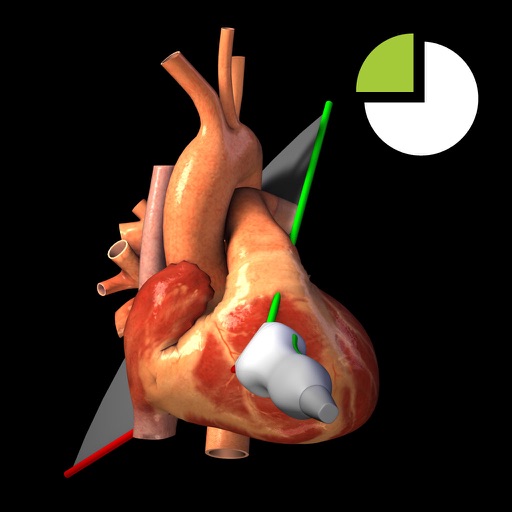
Users can view TTE recordings for 20 cardiac and interact with corresponding 3D heart models. Rotate and adjust 3D models to visualize cardiac structures. Annotate and compare images with reference guidelines.
The app provides clinicians with an iPad viewer for the Axis Ophthalmic Image Management system. It allows users to view patient images, navigate OCT scans, and utilize various display modes.
The app provides practice organizing intra-oral radiographs for dental professionals. Learners can arrange 18 to 20 individual images in the correct orientation for diagnostic purposes.
View and analyze high-definition ultrasound images from connected scanners. Adjust imaging settings using AI-driven controls. Save and share scans directly. Access specialized tools for various medical specialties.
Convert 2D images into stereoscopic 3D format for viewing. Adjust image alignment for left and right eye perspectives. Save and share modified 3D images. Provide information on stereoscopic vision techniques and benefits.
A magnifying glass allows users to zoom in up to 10 times on objects. It uses the phone's camera for viewing. An integrated light helps in low-light conditions. Users can adjust zoom and brightness settings.
Capture images, adjust display settings, control camera
Display and control high-resolution camera systems for low vision support. Adjust image brightness and contrast. Rotate and swivel the camera for different angles. Connect to an iPad for customizable settings. View and manage captured images.
View 3D MRI/CT scans and interactively rotate, pan, and zoom through virtual anatomy. Create and adjust clipping planes for virtual dissection. Select tissue density to visualize internal structures.
Access medical images, videos, and documents from a mobile device. Search, view, edit, and email surgical cases. Integrate with Stryker’s CONNECTED OR HUB/SDC3 device. Share files via email. Navigate through case data using an intuitive interface.