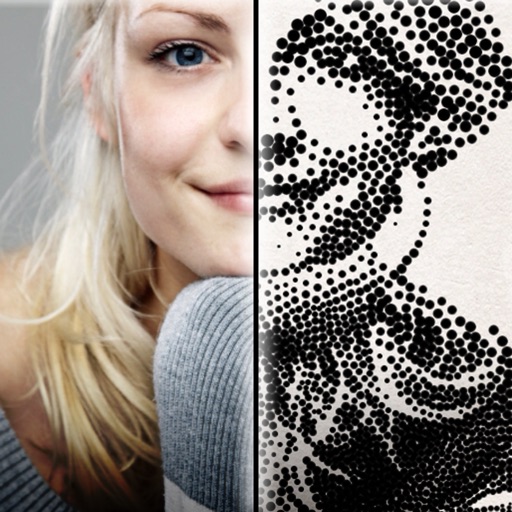
The app creates customized professional stipple drawings from photos using easy editing tools. Users can adjust contrast, brightness, and the number of dots to transform photos into unique works of art.
by Dotwerx LLC★ 4.639 ratingsPhoto & VideoFreeData updated 2026-09-30
Edit photos with one-touch object removal, AI-powered enhancements, and advanced retouching tools. Adjust colors, brightness, and contrast. Add text, stickers, and filters. Export in various formats and share directly.
The app provides tools for creating personal and branded content. Users can design graphics, collages, and marketing materials with templates, stickers, and editing features.
Take photos with real-time filters and artistic effects. Edit images with cropping, brightness, and color adjustments. Add text, stickers, and holiday-themed decorations. Share edited photos directly to social media.
Apply 800+ professional with themes like retro, vintage, and cyberpunk. Customize and use DNG feature for advanced editing. Add blockbusting overlays to enhance photos and videos. Export edited content in various formats.
Create custom images by adding photos as backgrounds. Touch to draw dots and customize designs. Save creations and share via social media or messaging.
Create images by describing scenes, characters, or moods in real-time chat. Generate drawings and photos using AI. Chat with AI friends for instant image generation. Adjust and refine outputs directly within the .
Create flipbook animations with frame-by-frame drawing. Use pressure-sensitive pen and eraser tools for artistic effects. Edit with undo/redo features. Add predefined animations and effects. Export and share finished projects.
Edit photos by adding speech bubbles with 15 styles and customizable colors and fonts. Create collages with comicbook-style layouts. Share photos directly from the . Drag, rotate, and pinch elements for editing.
Edit photos and videos using over 200 and 100 effects. Adjust brightness, contrast, saturation, and color balance. Crop, rotate, and apply . Export in multiple formats and share directly.
Create videos and photos with dynamic movement and sound . Apply pre-designed to photos, videos, or slow-motion clips. Customize during recording or import existing media. Share edited content directly.
Edit photos with background removal, cropping, and resizing tools. Adjust brightness, contrast, and color. Choose from and ID photo templates. Preview and export in required formats. Share directly or save for later.
Edit photos with analog filters and real-time presets. Adjust brightness, contrast, and saturation. Add text, stickers, and borders. Share directly or save in multiple formats. Apply retro styles for nostalgic effects.
Edit photos with AI-powered one-tap tools and auto-collage features. Create collages and design layouts using professional templates. Apply artsy effects to turn photos into paintings, cartoons, or sketches.
Edit photos with healing, brush, structure, HDR, and perspective tools. Open JPG and RAW files. Save custom styles for reuse. Apply selective filters with precise control. Adjust settings non-destructively and export as JPG.
Edit photos with crop, rotate, exposure, color, sharpness, and resize tools. Create grid collages and edit individual images. Access presets, clone tool, and fine curve adjustments for detailed edits. Export and share edited photos directly.