Play a two-player game by connecting four pieces in a row, column, or diagonal. Challenge CPU opponents on easy, medium, or hard levels. Play with a friend using pass-and-play mode. Choose who starts or let the game decide randomly.
Play Connect by aligning pieces of your color in a row. Challenge opponents locally or online. Choose from three difficulty levels for the AI. Track progress and improvements over time. Supports two-player mode on the same device.
The app challenges players to connect four discs of the same color horizontally, vertically, or diagonally. Players can compete against the computer or a friend, with four difficulty levels available for varied gameplay.
Play 2- with friends or family. Challenge opponents in by connecting tokens. Track progress through multiple levels. Share scores and compete online. Customize game settings and manage turns.
Game allows users to select an operation and difficulty level. Players solve problems to complete the game. Difficulty levels progress from easy to hard. Users can track progress through increasing challenges.
Play in a Row by dropping chips into a grid. in a row, column, or diagonal to win. Compete against AI or online players. Choose from themed boards and 3D graphics. Block opponents and strategize moves.
The app offers a classic checkers theme for users to play against the computer or a friend. It includes four difficulty levels and online multiplayer functionality, requiring an internet connection.
Play Connect 4 with one or two players locally or online. Choose from four difficulty levels against AI. Customize the game with backgrounds, themes, and colors. Track achievements and compete on leaderboards.
Play against a customizable opponent with adjustable difficulty and color scheme settings. Choose game options and track progress through in- settings. Rate the to support future updates.
Play 4 in a Row by dropping colored discs into a grid to align and win. Compete in one-on-one matches. Customize piece and board designs. Track game progress and replay matches. Share scores and challenge friends.
Play in a Row by dropping tokens into a grid to connect in a row. Challenge Game Center friends or random opponents in turn-based multiplayer. Support single-player and two-player modes.
The app offers a sliding block puzzle with four difficulty levels. It tracks user scores against personal bests and provides a solve button and tutorial.
Practice math with customizable difficulty and operations
Practice math skills with customizable difficulty and operations. Choose from addition, subtraction, multiplication, or division. Adjust difficulty levels to track progress and improve proficiency.
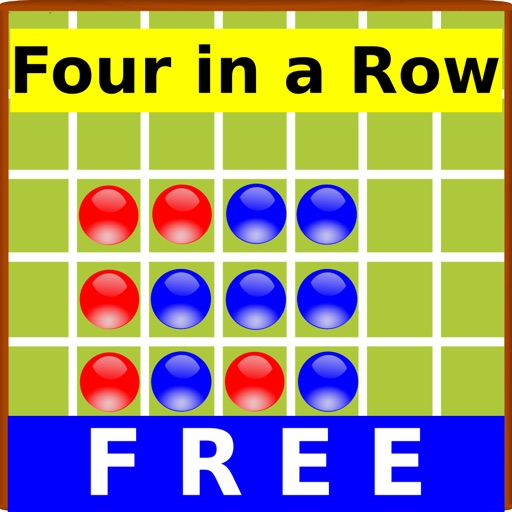
The app offers a free Four In A Row game for iPhone and iPad. Players can compete against the computer or friends, with options for player names and adjustable computer difficulty.
Play with 1 or 2 players against computer opponents with 5 difficulty levels. Enable or disable forced captures. Undo moves and enjoy HD graphics on compatible devices.
Play by swiping to connect balls of the same color and create chains. the board to progress through levels. Earn points based on chain length and blast power. Compete on a global leaderboard. Unlock new colors and power-ups.
Play with puzzles of varying difficulty levels. Use hints, notes, and auto-check features. Complete puzzles without assistance. Track progress across multiple difficulty settings.
Test knowledge of U.S. and with multiple modes including , , and abbreviations. Choose difficulty and number of questions. Practice or yourself with four difficulty levels. Track statehood dates, numbers, and nicknames.