Learn to build complex redstone machines with step-by-step guides and over 1300 screenshots. Access more than 300 detailed instructions to create advanced mechanisms. View tutorials for redstone circuits, logic gates, and automated systems.
by riedel.wtf apps S.L.★ 4.7449 ratingsEducation$1.99Data updated 2026-09-08
LUNAPARK MEDYA INTERNET TEKNOLOJILERI SANAYI VE TICARET ANONIM SIRKETI
Solve problems step by step
Solve problems with step-by-step explanations. Scan equations for instant recognition. Provide solutions for arithmetic, algebra, and calculus. Offer detailed breakdowns of each step. Allow users to input problems manually.
Create and share custom add-ons, skins, and worlds. Edit and customize in-game items. Post creations to a community platform. Access pre-designed templates and tools for easy modification. Export and share content directly.
Modify game elements like rules, appearances, and mechanics. Install add-ons, mods, maps, textures, skins, and worlds. Customize game settings and behaviors. Change game visuals and gameplay features.
Manage PE Addons by installing and organizing them through a centralized interface. Browse and download free Addons from various sources. Requires the official PE to function. No installation limits or restrictions. Sync Addons across devices.
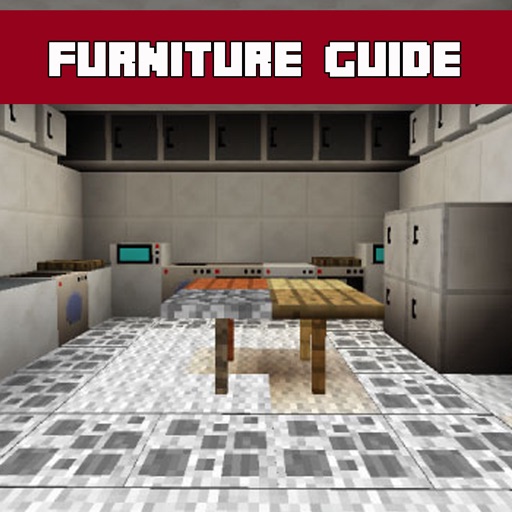
Explore a comprehensive database with detailed descriptions and screenshots. Search for specific items, save favorites, and access additional features for designing in Minecraft.
Teach dogs basic commands and behavior with structured programs. Track progress through interactive sessions and quizzes. Receive real-time feedback and adjust plans as needed. Share tips with other users and access a library of instructional videos.
The app offers a step-by-step guide and flash cards for multiplication practice. It includes features like audio instructions and customizable layouts for left or right-handed children, adapting to individual learning needs.
Learn numbers and basic math through interactive cake baking and garden activities. Practice memory and logic with playful mini-. Identify fruits and vegetables through character-based challenges.
Install and manage for the Melon game. Browse and apply custom modifications. Add new weekly. No installation limits. Provides instructions for mod setup and usage.
Create 3D models using intuitive device-optimized controls. Design circuits, code, and simulate electronic components. Learn through hands-on projects. Access free, ad-free tools suitable for all ages.
Build and customize houses in . Create shelters for mining, sleeping, and exploration. Add interior designs and decorations. Access building tips and design ideas for creative layouts.
Create and customize PE including player models, weapons, vehicles, and resource packs. Export content to Pocket Edition and Eerskraft. Edit and design 3D models and texture packs for .
Browse 3D animated building instructions for Lego® sets. Follow step-by-step guides to create animals, architecture, planes, trains, and Star Wars models. Challenge kids to build alone or compete against time. Add new models weekly.
Provides crafting recipes, mob information, item details, and wiki content for . Supports all major versions including PC, Pocket Edition, PlayStation, and Xbox. Includes new player guides and achievements. No ads and free to use.
Learn with a step-by-step guide. Practice flash cards for numbers 1-5. Access long exercises and problems with remainders in the full version. Track progress and review concepts through interactive lessons.
Take photos of clothing items to identify fabrics and patterns. Follow step-by-step tutorials. Generate custom patterns for projects. Access creative DIY ideas and tips. Track progress and save personalized projects.