Apply filters to live camera feed to create cartoon-style images. Capture photos or record videos with real-time cartoon effects. Adjust styles and save edited content directly.
by Eun Junseok★ 3.01 ratingsPhoto & VideoFreeData updated 2026-09-08
Remotely control X Series cameras to capture time-lapse videos in RAW format. Set advanced self-timers with customizable delays and intervals. Adjust waiting and capture sounds. Capture selfies, real-estate, travel, and group photos.
Create custom profile pictures for social networks like Instagram and Facebook. Remove image backgrounds automatically. Enhance quality and add backgrounds. Convert regular photos into professional-looking profile pictures.
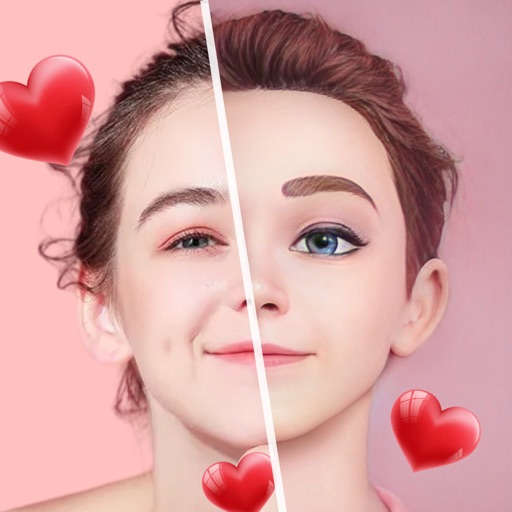
Edit photos with AI-powered cartoon creation tools. Upload images to generate cartoon versions. Share avatars with friends via messaging. Customize avatars with filters and styles. Export and send edited images directly.
Capture and edit real estate photos with advanced tools. Apply professional-grade filters and adjustments. Export edited images directly. Access tutorial videos for photography tips. Receive near-pro results via email.
Edit photos by selecting from the gallery or using the camera. Apply multiple and effects. Adjust position, size, and angle. Save, share, or upload images to social networks like Facebook and Twitter.
Edit photos with distortion simulation and 170-degree wide-angle view. Use four real-world camera emulations. Apply dozens of lomo effects. Process images from the gallery. Switch between front and rear cameras. Toggle flash.
Generate hyper-real AI couple and wedding photos by uploading two images. Create family-style portraits or add playful stickers. Edit and export images in various formats.
Create stop motion animations with frame-by-frame control and variable frame rates. Delete single or all frames, play loops, and preview frames. Save animations to Camera Roll or email as flip book images.
Edit photos by applying multiple effects and choosing from various stylish frames. Adjust image position, size, and angle finger gestures. Save and share modified photos directly.
Edit photos and videos with AI filters and style transformations. Convert images into anime, game avatars, or sketches. Restore old photos by enhancing details and repairing scratches and fading. Create TikTok-style videos with AI tools.
Objects, people, or blemishes from photos. Edit backgrounds and save as PNG or JPG. Crop images, add text, filters, logos, or watermarks. Use one-click background removal and clipping tools.
Control drones, view real-time video, record photos
Control a four-axis drone via WiFi. View real-time video feed from the drone's camera. Capture photos and videos using the device. Enable VR mode for immersive viewing. Use voice commands for flight control.
Capture photos with customizable cup . Add text, stickers, and filters. Share edited photos directly with friends and family. Save and view moments from house visits.
Edit photos by describing desired changes, additions, or removals. Remove objects or people seamlessly. Enhance lighting and mood with cinematic, dramatic, soft, or warm settings. Adjust colors and apply filters. Save or share the final edited image.