Apps Like LostFound: Lock Screen Banner for iPhone and iPad
Create emergency contact image
Create an image with emergency contact details. Customize the image and save it as the wallpaper. View and edit contact information directly from the .
by Brian Haslanger★ 3.313 ratingsUtilities$0.99Data updated 2026-09-08
Set phone wallpaper and lock screen with artwork. Browse curated collection of traditional masterpieces. Customize screens with selected images. Share favorite artwork via social media.
Monitor network status and device information. Clean storage with phone and tablet . Block Safari ads. View battery and charging animations. Access photo editing tools. Securely store sensitive data in a vault.
Create a by handwriting with customizable color and pen thickness. Choose from different pen and eraser tools. Undo or redo actions. Save the as an image or copy it to the clipboard. Scale display is available.
Scan QR codes quickly and create custom QR codes. Edit text or URLs to generate codes. Share generated QR codes via email or messaging apps. View scanned details including text, URLs, and contact information.
Create AI-enhanced posters for iOS 17 calls. Select images and effects to customize posters. Generate cards with AI enhancements. Share posters via call screen. Edit and save custom designs for future use.
Create and display scrolling messages with customizable LED effects. Choose from various vibrant styles and adjust brightness. Set text to scroll continuously or pause. Share messages via social media or messaging apps.
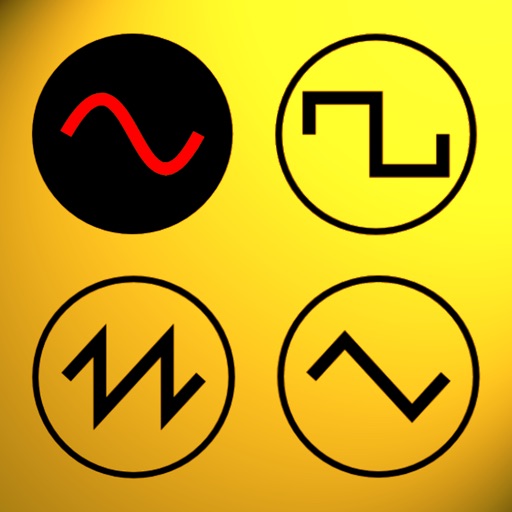
Udio tones with customizable frequency settings from 15Hz to 22KHz. Choose between sine, square, sawtooth, and triangle waveforms. Create and save custom presets. Control playback from notification drawer, lock screen, or headset buttons.
Your Mac automatically when away and unlock it when approaching. Use Touch ID, double knock, Apple Watch, or iPhone 3D touch for access. Control locking settings and receive notifications.
Magnify text and small details with 4K image quality. Lock focus with a single tap for clear viewing. Use the quiet snapshot function to capture and review images without sound. Save snapshots for later reference.
Generate AI art from text inputs to create custom wallpapers. Choose between free and premium wallpapers. Set as home or lock screen. Edit and customize art. Share wallpapers with others.
Resize images to fit various formats like Instagram posts, stories, Facebook covers, or custom ratios. Adjust aspect ratios manually or select preset options. Apply Fit or Fill modes to scale images without cropping or stretching.
The app provides a selection of high-definition wallpapers, desktop themes, and universal widgets. Users can customize their devices with matching home and lock screens and download desktop icons.
Customize iPhone with widgets for time management and organization. Add clock, notes, calendar, countdown, battery, and other widgets. Set single or timed widgets to plan tasks and enhance desktop appearance.
Create custom cards by selecting backgrounds, writing text, adjusting fonts and colors, and adding icons. Choose from pre-designed templates to share messages instantly. Save cards as wallpaper or send via social media.
Enables browsing of two websites side by side on iOS devices. Users can compare products from different sources without switching tabs. Favorite websites are accessible for quick viewing. Switch between websites with a single tap.