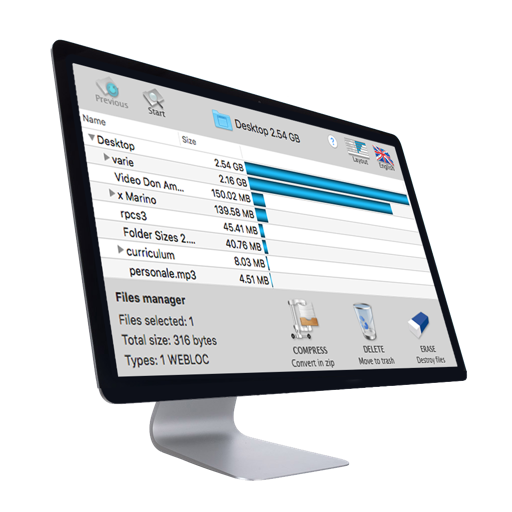
Organize files by dragging folders into the . Create sub-folders within existing folders to categorize files. Move, rename, and delete files directly within the interface.
by Nobuhiro Takahashi★ 0.00 ratingsProductivityFreeData updated 2026-09-08
And decompress files with ZIP and RAR formats. View and open documents like PDF, DOC, and images. Create folders and manage storage. Access file viewer and organize files efficiently.
Manage and organize documents with unlimited storage and nested folders. Search files quickly and batch rename for efficiency. Support for zip, rar, and 7z formats with direct decompression.
Manage files and folders in a central hub. Copy, move, rename, and delete files. Create folders to organize content. All operations are performed locally without data upload.
Access files from iCloud Drive, Dropbox, One Drive, Google Drive, Box, Mega, Yandex, and other services. Upload, download, delete, and create files or folders. Manage multiple accounts in one interface.
Browse privately, store files securely, delete history
Browse websites without ads, trackers, or cookies. Download and store files privately. Secure your history and downloads with a passcode or Touch ID. Delete browsing data quickly with the "Destroy" option.
Write and organize ideas with interactive checkboxes for task tracking. Create and reorder to-do lists with drag-and-drop functionality. Check off completed tasks and manage shopping lists, daily chores, and project tasks.
Securely store and manage private , , and documents with folder locking and file encryption. Set PINs for folders and encrypt files for enhanced security. Access cloud backup and play in multiple formats.
And store ID cards, passports, and other identification documents. Edit, annotate, and organize scanned files. Share documents securely via email or cloud services. Manage digital files with folders and search functionality.
Allows users to unzip or create ZIP archives directly on iOS. Drag and drop to extract or . Share or save extracted or ZIPs to . Customize naming options for ZIP .
Manage files across devices with transfer, sharing, and remote control. View and respond to notifications. Mirror screens and control device settings remotely. Organize files and folders. Send photos and documents to others.
Connect to home computers, network drives, and cloud storage. Upload, download, and copy files between locations. Browse content with built-in viewers. Manage files across devices and integrate with iOS features.
View backed up files on mobile devices. Share files with colleagues and partners. Mark files as favorites for offline access. Upload files to folders. Sync files across desktop, mobile, and web.
Store and organize personal photos, videos, and audio files. Hide and lock sensitive content with password protection. Create albums and set access restrictions. Share files securely via encrypted links. Backup data to cloud storage.
Transfer files and folders between devices. Monitor transfer progress for better tracking. Open files directly or share with other apps. Upload learning materials via Wi-Fi using HTTP or FTP.
Access sensitive data securely, preview and upload files, and collaborate on folders and file links across storage locations without a VPN. Integrate with popular business apps for streamlined workflows and remote access to content.
Photo lets users delete unwanted or duplicate photos by selecting specific folders or albums. File Manager enables browsing, moving, and deleting files across storage locations.
Lock and manage private photos, videos, audios, and texts with password protection. Create, delete, and rename folders. Securely hide content using passwords. Protect data with encryption and access controls. Sync across devices.