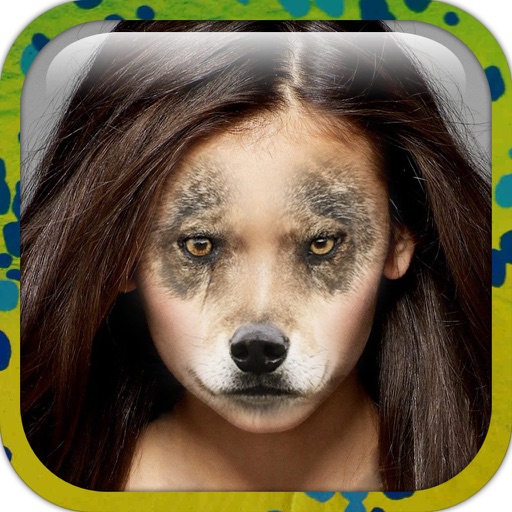
Take photos of two faces and blend them using facial feature detection. The automatically merges one face into another using a sophisticated algorithm. Share the resulting image directly.
by Georgios Andritsos★ 1.017 ratingsPhoto & VideoFreeData updated 2026-09-08
Create dynamic animations from static photos using AI technology. Add motion, expressions, and sound to bring images to life. Share photos with friends and family through social media or messaging apps.
Swap faces in photos and videos using 2000+ templates. Choose from celebrities, memes, or characters. Edit dual-person scenes. rt and create avatars. Export edited content in various formats.
Analyze facial features using a selfie. Preview styles or cosmetic options. Get instant transformation recommendations. Compare natural, glamorous, or trend-inspired looks. Share analysis results directly.
Edit photos by overlaying multiple images. Adjust blending modes and exposure settings. Access a collection of pre-designed overlays and effects. Save and share the final mixed image.
Faces in photos, videos, or GIFs using AI. Choose templates to create new scenes or memes. Upload images and select pre-designed content for instant swaps. Adjust facial features for realistic results. Share edited content directly.
Try AI-generated hairstyles with instant previews. Adjust colors using AI analysis and realistic color changes. Preview hairstyles with advanced filters and effects. Test new looks with AI makeup tools.
Anonymize photos and videos by blurring or coloring faces and full bodies. Remove metadata such as time, date, and location. Apply anonymization settings locally without internet connection.
Edit photos by applying 100+ textures with brush tools. Adjust effects using opacity and blend modes. Retouch with an eraser. Add sparkles and other decorative elements. Save edits or share directly to social media.
Elevate resolution with advanced tools. Enhance image quality using precision algorithms. Retouch portraits to refine details. Restore old photos to improve clarity and color. Adjust brightness, contrast, and sharpness.
Edit photos with AI-powered and body enhancements. Smooth skin, remove blemishes, and adjust body contours. Make precise edits without altering the rest of the image. Export edited photos in various formats.
Edit photos by applying faces and filters. Choose from free templates to try on. Upload photos from albums or Facebook. Share edited images on Twitter or Facebook. Select preferred for personal use.
Remove backgrounds from photos to create transparent images. Highlight the subject and replace the with a new image. Adjust transparency and export the edited photo.
Create custom words using the Word Maker feature. Transform photos into art. Generate ASCII text. Access over 20 categories including 1,500 3D and animated emoticons. Enable an with step-by-step guidance. Send emojis natively to WhatsApp.
Take photos with warp and fish eye effects to create humorous images. Apply to enhance expressions. Share directly to Instagram and other social media platforms. View and edit photos in real-time with preview options.
Create custom emojis using AI by typing a prompt. Generate unique stickers for social media or messaging. Edit and download emojis in various formats. Share created emojis across supported platforms.
Generate images from text using AI. Customize colors, styles, and details. Export and share creations. Access a library of AI-generated art. Collaborate on projects in real time.
Take photos and apply distort, duplicate, or transform effects to create funny face images. Preview live filters before capturing. Create photos, videos, or animated GIFs with the 's effects.
Create funny videos and photos with face and voice effects. Apply exaggerated facial features and silly voice filters. Edit face and voice changes non-destructively after recording. Share final edits directly.