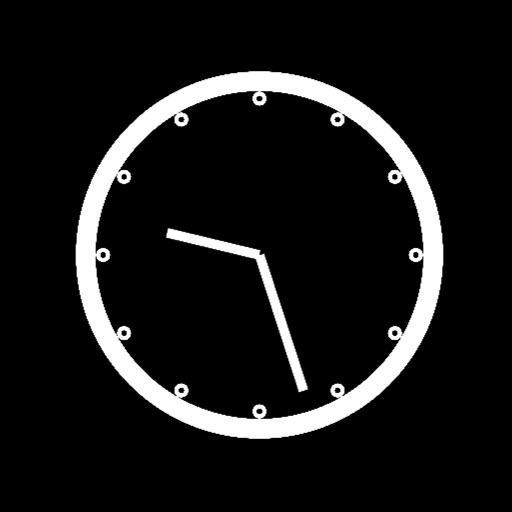
Set alarms and manage time with customizable displays. Adjust size, transparency, and position on desktop and . Choose between analog and digital faces. Sync with calendar events for timely reminders.
by Max Schlee★ 0.00 ratingsLifestyle$0.99Data updated 2026-09-08
Wake up with a gradual that uses science-backed soothing melodies and nature sounds to gently awaken you. Customize volume and timing. Track sleep patterns and set morning routines. Sync with smart devices for seamless integration.
The app displays the battery percentage for Apple Magic Mouse, Trackpad, and Keyboard. Users can enable or disable the status bar reading option from preferences.
Set wake-up time and choose a ringtone or custom music. Add tasks to complete to stop the . Scan barcodes to quickly access tasks or settings. Adjust volume and repeat options. View completed tasks and track progress over time.
Add to the for quick access. View steps, daily goal, and distance with pedometer data. Access a mini calendar with today highlighted. Launch favorite apps like YouTube, TikTok, and Instagram directly from the .
Set alarms with customizable sounds and schedules. Wake up even when iPhone is on silent mode. Adjust volume and snooze settings. Track sleep patterns and set daily goals. Sync with Apple Health for sleep data.
Set alarms using voice commands like "Jarvis set for 7:30 AM." Snooze or turn off alarms with voice instructions. Control the without touching the phone. Choose from built-in or custom backgrounds. Display weather for the current location.
Wake Up with Missions includes physical and mental challenges to ensure full wakefulness. Physical missions require steps or pushups, while mental missions involve puzzles and math challenges.
Allows users to set vibration alarms with a backup feature. Users can place the device on a hard surface to enhance vibration volume. The includes -based wake-up options and customizable settings.
Set alarms without a snooze button. Customize backgrounds with photos or built-in designs. Check weather for your location. Use voice commands to set alarms, check time, or control lighting.
Set -up missions to disable the . Choose ringtones, music, or text-to-speech for alerts. Use loud sounds or procedural ringtones to avoid habituation. Set bedtime reminders to prevent sleep deprivation. Track sleep habits and morning routines.
The app displays both digital and analog clocks on one screen. It offers adjustable brightness and time formats, with optional features for rounding the analog time and enlarging specific indicators.
Set alarms with customizable sounds that persist until user responds. Adjust volume and timing settings. Receive repeated alerts until user acknowledges. Syncs with iOS devices for management.