Apps Like メッセージプラス-MessagePlus for iPhone and iPad
View and play FAX and voice messages
Receive and play FAX and voice messages from the internet FAX service. View, edit, and send FAX with handwritten notes without printing. Access across multiple devices. Save login details for quick access.
by ACCEL COMMUNICATIONS Corporation.★ 0.00 ratingsBusinessFreeData updated 2026-09-08
Internet browsing with encrypted connections and anonymous web surfing. Access servers in multiple countries. Protect data on public Wi-Fi. Unblock websites and bypass regional restrictions. Receive 24/7 customer support via email and chat.
WB Technologies General Trading and contracting Co
Shop, browse, and purchase products
Browse products from leading brands. Search and filter items by category, price, and availability. Add items to cart and proceed to checkout. Track order status and view delivery details. Access customer support and return policies.
Trim videos using a simple trimmer tool. Add via in- tracks, iTunes , or recorded audio. Edit audio segments as needed. Save and share edited videos directly.
Create digital passes for Apple . Add and edit membership, customer, or event tickets. Upload QR codes and generate passes. Customize designs and manage access to cards.
Check account balances and view recent activity. Search transactions by date, amount, or check. Manage checking and savings accounts securely. Deposit checks by photo. Set alerts and lock accounts remotely.
Access IBM Mainframe via 3270 terminal emulation. Customize screen size and colors. Use SSL/TLS for secure connections. Scan barcodes with device camera. Copy and paste using clipboard. Print wirelessly via Air Print. Zoom and scroll like Safari.
Securely connect to the internet with encrypted data transmission. Choose from multiple global server locations. One-click connection for quick setup. View connection status and security details.
Beijing Chengshi Wanglin Information Technology Co., Ltd.
Find local services and information
Access real-time local life services like housing rentals, job postings, and car sales. Search nearby listings with map view. Save browsing history and receive personalized recommendations.
Print documents and photos from your iOS device using a local wireless connection to a printer or all-in-one machine. Scan documents to your device and preview scans before sending. Edit, fax, and check machine status directly through the .
And receive faxes directly or iPad. documents including contracts, receipts, photos, passports, and more. Share scanned files via email or cloud services. Manage fax history and settings within the .
Displays real-time location and current /sector boundaries. Shows crime/incident data and sector maps. Includes satellite and street view layers. Provides quick access to contact info and navigation tools.
Send faxes by scanning documents or typing text. Attach files and send directly the . No registration or trial required. First fax is free. View sent and received faxes. Share faxed documents via email or messaging.
Access AS/400 systems via terminal emulation. View and manage print jobs. Adjust screen size to 24x80 or 27x132. Use SSL/TLS for secure connections. Support for standard 5250 emulation features.
Send and test /HTTPS requests with response inspection. Debug APIs remotely using WebSockets. View and edit JSON, HTML, XML, and raw text data. Import and export Postman collections for team collaboration.
Scan documents using the camera or export from the phone. Edit scanned files by cropping, rotating, adjusting brightness, and contrast. Share documents via email or messaging apps. Send faxes by scanning, adding a fax number, and sending.
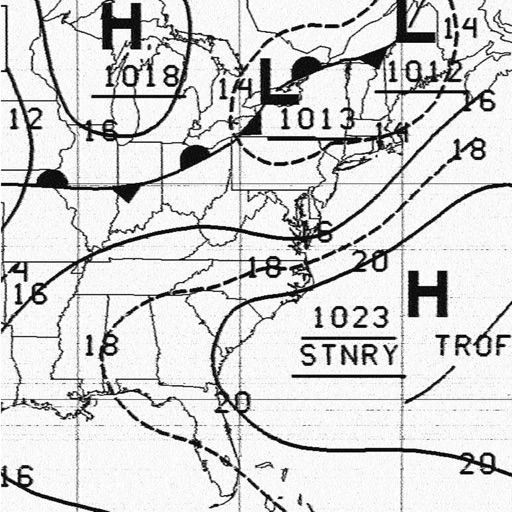
Receive and display marine fax images using HF radio audio. Connect via Bluetooth or audio input. Tune to fax frequencies. View real-time reports without internet.
View account balances and recent transactions. Transfer funds between accounts. Locate branches and surcharge-free ATMs. Access from Apple iOS devices. Requires active online account.
Send instantly to family and friends through secure transactions. funds via online platform or in-person at office or Trust Bank locations in Gambia. Use US bank accounts or PayPal for transfers. Verify transactions and track senders and recipients.
Create and edit resumes with AI-generated content and formatting suggestions. Choose from modern templates. Import and update existing CVs. Get ATS-friendly format scoring. Export to PDF for sharing or printing. Edit PDFs directly within the .
Access account balances, transfer funds, and send secure messages. View eStatements and choose themes or languages. Start a banking session on one device and finish it on another. Use same login credentials as Home Banking.