Create notes on photos directly from the Photos without opening another . Edit images with cropping, adjustments, and text overlay. Use action extension to edit photos from any .
by Semen Kudriavtsev★ 4.721 ratingsProductivityFreeData updated 2026-09-08
Create realistic artwork with pencil, brush, pen, and marker tools. Import images as layers and edit with eraser, ruler, compass, and other tools. Add stickers and use layer management for detailed painting and design.
Edit photos with advanced filters, lighting adjustments, and blur. Add text, stickers, and effects. Crop, rotate, and enhance details. Export in various formats and share directly.
The app allows users to create typed notes with integrated voice recordings and photos. Notes are color-coded for organization and can have reminders set.
AI photo editor allows users to remove objects, people, and text from images. Change backgrounds and retouch photos with AI tools. Edit faces and create avatars. Export edited images in various formats.
Edit photos and images with advanced tools for retouching, layering, and painting. Create multi-layered art and designs. Adjust colors, contrast, and lighting. Export in various formats and share directly.
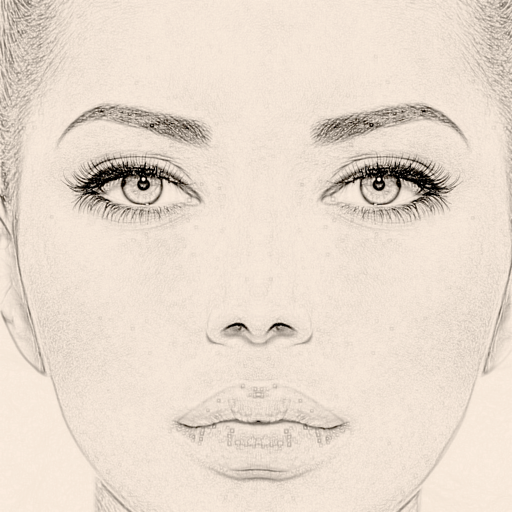
Turn photos into drawings, cartoons, or sketches with one click. Apply 19 effects with full control. Save creations and share via Facebook, Twitter, Flickr, Tumblr, and Email.
Edit photos with holiday-themed frames, filters, and effects. Add text, stickers, and decorations. Export in various formats and share directly. Adjust brightness, contrast, and colors for festive visuals.
Edit photos with skin retouching, blemish removal, and dodge & burn tools. Remove stray hairs and edit hair part lines with one click. Reshape facial features and adjust body proportions using 3D bone mapping.
Create and edit digital art with brush tools, layers, and blending modes. Import and manipulate images. Save and export in various formats. Sync files via iCloud Drive. Support Apple Pencil for precise drawing. Render graphics using GPU acceleration.
Edit photos by adding , stickers, and text. Create collages and cards with customizable designs. Upload images from the gallery or take new photos. Choose from pre-designed and stickers. Add notes and messages to photos.
Edit photos to enhance facial features, shape, and specific areas like abs, waist, and muscles. Adjust colors, add accessories, and modify facial elements such as nose, eyes, and hair. Save and share edited images directly.
Edit photos with retro filters and . Add antique textures and color adjustments. Apply nostalgic styles for a timeless look. Save and share edited images directly.
Annotate images with tools like arrow, rectangle, circle, text, and magnifier. Import photos from library, camera, or map. Export with custom sizes and share. Customize colors, undo changes, and manage layers. Crop images and save history sessions.
Edit photos with background erasing and replacement. Remove backgrounds automatically or manually using AI. Replace backgrounds with custom images, colors, gradients, or textures. Adjust and enhance images with precise editing tools.