Create notes on photos directly from the Photos without opening another . Edit images with cropping, adjustments, and text overlay. Use action extension to edit photos from any .
by Semen Kudriavtsev★ 4.721 ratingsProductivityFreeData updated 2026-09-08
Edit videos by extracting from Live Photos and combining with standard videos. Add background music and over 50 transition effects. Trim, crop, and edit text within videos. Share the final video directly.
Add and stickers to photos and images. Choose from various spooky themes. Edit and enhance pictures. Share edited images directly. Apply high-definition effects. Create custom .
Create collages using 30+ templates including grids and squares. Add photos from camera or library. Capture live camera images directly. Save and share images. Customize border colors.
Create and edit PDF documents by adding text, notes, and drawings. Import images and PDFs from the file . Convert photos to PDF, duplicate, rename, and password protect files. Rearrange pages, search within PDFs, and share as PDF or image.
Edit photos by adding holiday with adjustable size, color, spacing, and placement. Apply holiday-themed frames and text overlays. Animate with two timers. Share 10-second videos, animated GIFs, or single-frame photos.
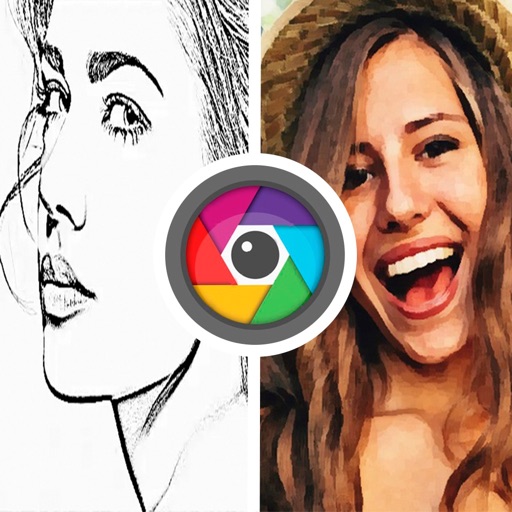
Turn photos into drawings, cartoons, or sketches with one click. Apply various effects including black strokes, white strokes, pastel, and halftone. Adjust edge strength, opacity, contrast, brightness, and saturation.
The app offers 44 original film emulation effects and numerous natural light leaks and film textures. Users can adjust brightness, contrast, saturation, hue, temperature, mirror, rotate, and crop photos with three presets.
Edit photos with background erasing and changing tools. Blur backgrounds and apply portrait beauty effects. Add realistic filters and effects with one tap. Share edited photos directly. Join a community for editing tips and feedback.
Resize photos to fit Instagram's format. Adjust dimensions and crop images precisely. Share edited photos directly to social media. Maintain image quality during resizing. Apply basic editing tools for optimal framing.
Edit photos with New and Christmas frames. Add text, stickers, and effects. Share edited photos directly to social media or messaging apps. Adjust brightness, contrast, and saturation for enhanced visuals. Export in various image formats.
Personalized photo frames with customizable borders and background designs. Add text messages or notes to photos. Share decorated images directly through social media or messaging apps. Edit photos with basic tools to adjust brightness and contrast.
Edit photos with exposure, contrast, highlights, shadows, whites, and blacks adjustments. Modify colors with saturation, vibrance, hue, and temperature. Remove haze and fog with an intelligent filter.
The app provides a Dhivehi Thaana keyboard extension for iOS. It includes tools for writing formal letters, transliterating between Dhivehi and English, and a notepad for quick notes in Dhivehi.
The app allows users to create collages on square backgrounds and add text. Users can choose backgrounds, add pictures, and modify text properties like font, size, color, transparency, and rotation.
Decorate photos with over 400 styled stickers. Place stickers using simple and intuitive controls. Add text, filters, overlays, and frames to enhance images. Supports iPhone, iPod Touch, and iPad.