Convert video files to QuickTime formats including H.264 and ProRes. Supports AVCHD, MTS, m2ts, and Blu-ray conversion. Edit timelines with in and out points. Convert single files or use batch processing for multiple movies.
by Brad Wright★ 0.00 ratingsPhoto & VideoFreeData updated 2026-09-08
Convert documents to various formats with batch processing. Edit and annotate PDFs. Export as images, Word, Excel, or PowerPoint. Compress files and share via email or cloud storage.
Convert files to MP4, MOV, and other common video formats. Convert to HD video formats for playback on devices like iPhone, iPad, Kindle Fire, and Android phones. Trim and adjust video clips before exporting.
Play videos and audio files in full HD. Support multiple audio tracks and subtitles. Organize media files and access them quickly. Manage playback settings for optimal viewing experience.
Offers manual camera controls for iPhone and iPad. Users can adjust exposure, focus, and white balance. Capture photos in ProRAW and ProRes formats. Record videos with advanced settings. Access DSLR-like features for precise image adjustment.
The app converts ebooks between many formats like EPUB, MOBI, and PDF. Users can select input files, choose output formats, and convert files in seconds.
Capture photos and videos with control over focus, exposure, ISO, shutter speed, white balance, and flash. Enable RAW capture, real-time histogram, focus peaking, and lock exposure and white balance.
The app rips DVD movies to various video and audio formats, including 4K and 1080p HD. It supports conversion to portable devices and editing software, with options for video enhancement, trimming, cropping, and watermarking.
Convert images, documents, and PPT files to PDF. Draw on images and convert them to PDF. Merge files and add custom watermarks. Perform conversions quickly without draining battery or overloading device performance. All features are free with no ads.
Convert MKV files to AVI, MP4, and over 30 other video formats. Support HD conversions and 2D to 3D video conversion. Choose audio formats like MP3. Edit video settings and preview before exporting. Save converted files to your Mac.
The app plays various video and audio file formats without conversion. It streams content from remote devices and offers playback controls for position, subtitles, volume, and brightness.
Convert PDFs to images and images to PDFs. Merge multiple PDF files into one. Edit text and annotations. Export in various formats. Share and organize documents directly.
Convert images between popular formats by selecting a file from the gallery, iCloud, or capturing a new photo. Choose an output format and convert in seconds. Share or save the converted file. View conversion history.
Download videos from cloud drives and play in HD quality. Support background playback for continuous use. Convert videos to MP3 format. Import videos and audio files from Camera Roll, iCloud, Google Drive, Box, and Dropbox.
Record videos in various resolutions, frame rates, and codecs like Open Gate and ProRes. Apply custom LUTs for color grading. Preview and adjust footage in real time. Export in multiple formats for different platforms.
Compress videos using X264 codec with adjustable quality and speed. Trim, cut, and change resolution. Convert between formats. Merge videos into one. compressed files for sharing or storage.
Convert videos to MP3 audio and save them for offline listening. Create ringtones from songs or clips. Import files from cloud services. Play converted audio files directly or in the background. Supports multiple formats.
Play video files in AVI, Xvid, WMV, and other formats directly on iPhone. Import files via USB or drag and drop. No format conversion required. Supports playback of computer video files without additional setup.
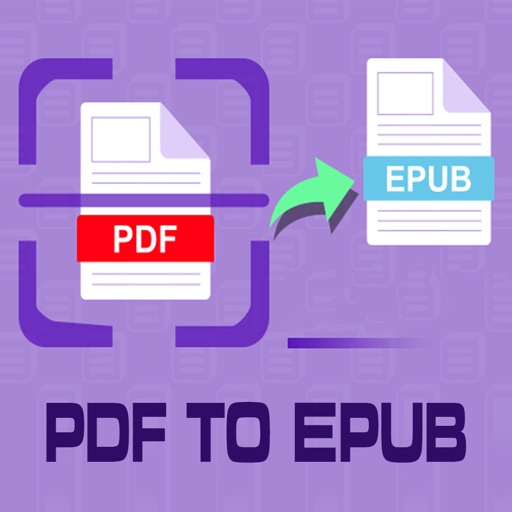
Convert PDF files to format for mobile reading. Edit text, adjust fonts, and customize margins. Export as and share or save to device. Supports iPad, iPhone, and ebook readers.