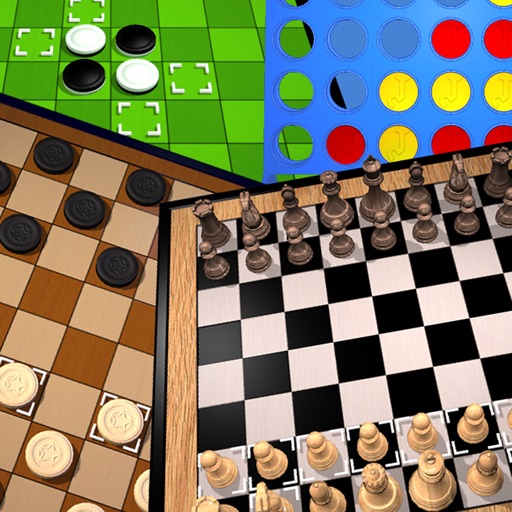
The app offers classic board games including Chess, Draughts, Awele, Connect 4, and Reversi. It provides artificial intelligence for offline play and server connectivity for playing with others.
by ACLAP★ 5.01 ratingsGamesFreeData updated 2026-09-29
Play with a classic two-player board game interface. Move pieces according to traditional rules. Challenge AI opponents or play against friends. Save game progress and review move history. Adjust piece positions and track turns manually.
The app offers a classic checkers theme for users to play against the computer or a friend. It includes four difficulty levels and online multiplayer functionality, requiring an internet connection.
Learn game rules through narrated animations. Set up games and start playing without reading manuals. Access rule explanations for multiple titles. Explore game setups and strategies visually.
Play against AI or online opponents using ranked matchmaking and ELO ratings. Choose between quick and classic game modes. Access undo, auto-roll, and hints. Chat with players and view detailed stats including win types.
Play board games friends or strangers. Choose from classic games like Othello and Battleship or try new challenges. Chat opponents and compete on leaderboards. Manage game sessions and track progress.
Analyze positions by inputting board setups via drag-and-drop. Calculate moves using cloud-based 16. View evaluations and variations. Customize analysis depth and time limits. Save and compare game positions.
Learn chess through real game scenarios. Practice move sequences from actual Lichess games. Track progress with spaced repetition system. Analyze variations and improve decision-making in critical positions. Adjust difficulty based on skill level.
Play on multiple board designs. Challenge opponents online or locally. Track game history and statistics. Customize pieces and board themes. Save and resume games. Share scores and invite friends to play.
Play against the computer in various difficulty levels. Move pieces diagonally, capture opponents' pieces, and promote pieces to kings. Save game progress and review move history. Customize board appearance and sound effects.
Play in various modes including Classic, Stage, and Multiplayer. Select play modes and customize rules. Throw by dragging and sliding. Invite friends for online matches. Practice with beginner-friendly mode.
Play checkers with single-player, local multiplayer, or online modes. Challenge computer opponents with 7 difficulty levels or auto-adjusted difficulty. Undo moves, configure mandatory captures, and retry turns.
Play on a hexagram-shaped board. Move pieces one step or jump over others. Race to move all pieces to the opposite corner. Supports two to six players, single or team play. Track turns and piece positions.
Play like Spades, Hearts, and Canasta with real players. Compete in board such as Checkers and Par. No registration required. Features include turn-based play, real-time interaction, and multiple game options. Share scores and challenge friends.
Play on a 6x6 board with simplified pieces including rooks, queens, and kings. Challenge AI at three difficulty levels or play against a friend locally. Features include matches, turn-based gameplay, and in- multiplayer.
Play search games solo or against friends online. Compete in daily tournaments and leaderboards. Earn achievements and track progress across different board sizes. Sync with GameCenter for multiplayer matches on iOS devices.
Play a game with randomly generated boards based on a large database. Choose between Classic Game and Race Against Time modes. Solve puzzles on 8x8, 10x10, or 12x12 grids with four difficulty levels.
Play on a 8x8 board with turn-based moves and piece capturing. Challenge opponents locally or online. Learn strategies through tutorials and practice modes. Track game history and replay matches.
The app offers offline and online Rummy gameplay. It includes a guided tutorial for learning rules and allows configuration of various game settings for personalized play.