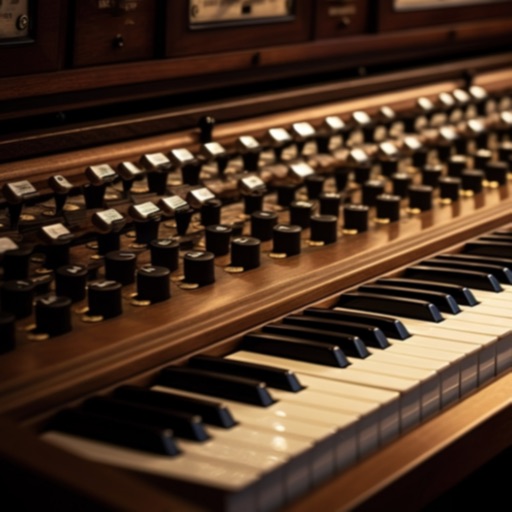
The app allows users to play the Ott-Orgel sample set using a MIDI keyboard and pedal connected to an iOS or macOS device. It features a house organ with one manual and an attached pedal with a 16' subbass.
by Markus Sigg★ 5.03 ratingsMusic$9.00Data updated 2026-09-29
Play using a with adjustable sound quality. Record and save custom music. Access free lessons and practice sessions. Upgrade to remove ads and unlock full recording features. Sync with Apple Health to track practice time.
Create and manipulate audio using granular synthesis techniques. Adjust grain size, direction, and step size. Apply effects such as reverb, wave shaping, and sample crushing. Connect via AudioCopy, AudioBus, Inter Audio, and AUv3.
Learn to play the with interactive lessons and practice modes. Explore classical, baroque, and contemporary music styles. Access a library of compositions. Adjust settings for sound and performance. Save and share custom playlists.
Play chords and melodies using a tactile keyboard interface. Hold buttons and swipe or tap to create sounds. Access chords and notes via a grid for precise selection. Adjust pitch, harmonize, and apply real-time audio effects.
Allows users to play notes with customizable layouts and multiple notes on screen. It includes music theory integration for note identification and chord recognition. Users can adjust key signatures and scale modes.
MIDI/MPE controller for Studio on MacOS. Map controller inputs to parameters. Adjust modulation, velocity, and pressure sensitivity. Customize layouts and save presets. Connect via USB and support multiple devices.
Adjust audio signals with noise gate and low-pass filtering. Use 6 preamp models and 3-band tone stack. Apply flanger, chorus, and phaser effects. Add echo, delays, and reverb. Mix impulse responses and adjust power amp settings.
The app allows users to create, save, and share professional stage plots. It offers an intuitive interface with an editing tool bar and easy-to-read graphics, including over 250 industry-standard props.
Create and edit patterns using groove presets or custom beats. Play along with favorite songs via InterApp, Audiobus, Core MIDI, and clock MIDI. Share patterns through iTunes file sharing or Audio Copy.
The app converts MIDI files into synchronized sheet music. It supports multiple clefs and offers song management features, including downloads and iCloud synchronization.
Create musical compositions using numbered notation with support for various rhythms and pitches. Input lyrics and accidentals, and adjust key signatures and tempo. Play back notation with sound, select sections for playback, and set instruments.
Play with an 88-key and 7 octaves. Choose from 5 instruments and adjust sound settings. Resize keys and save custom configurations. Practice lessons or play live. Export music recordings.
Offers groove presets and custom beat creation. Play along with favorite songs via InterApp, Audiobus, Core MIDI, and clock MIDI. Share patterns through iTunes file sharing or Audio Copy. Features a realistic analog interface for vintage enthusiasts.
Play using realistic acoustic and electronic sounds. Choose from 8 acoustic models and 5 E- legends. Adjust keyboard sensitivity and touch response. Save and share performances. Sync with MIDI devices.
The app allows users to send notes, program changes, or controller events to Core Midi devices. Users can customize pads, add multiple pages, and group pads with matching colors.
Play piano and other instruments with realistic physical modeling. Adjust parameters like velocity and aftertouch. Load and save custom sound presets. Connect to MIDI devices for live performance. Export audio files in various formats.